
Help
Use Kaairos from Telegram
The recommended way to reach Kaairos from your phone: your own Telegram bot, connected to your Mac, that only you can talk to.
In short
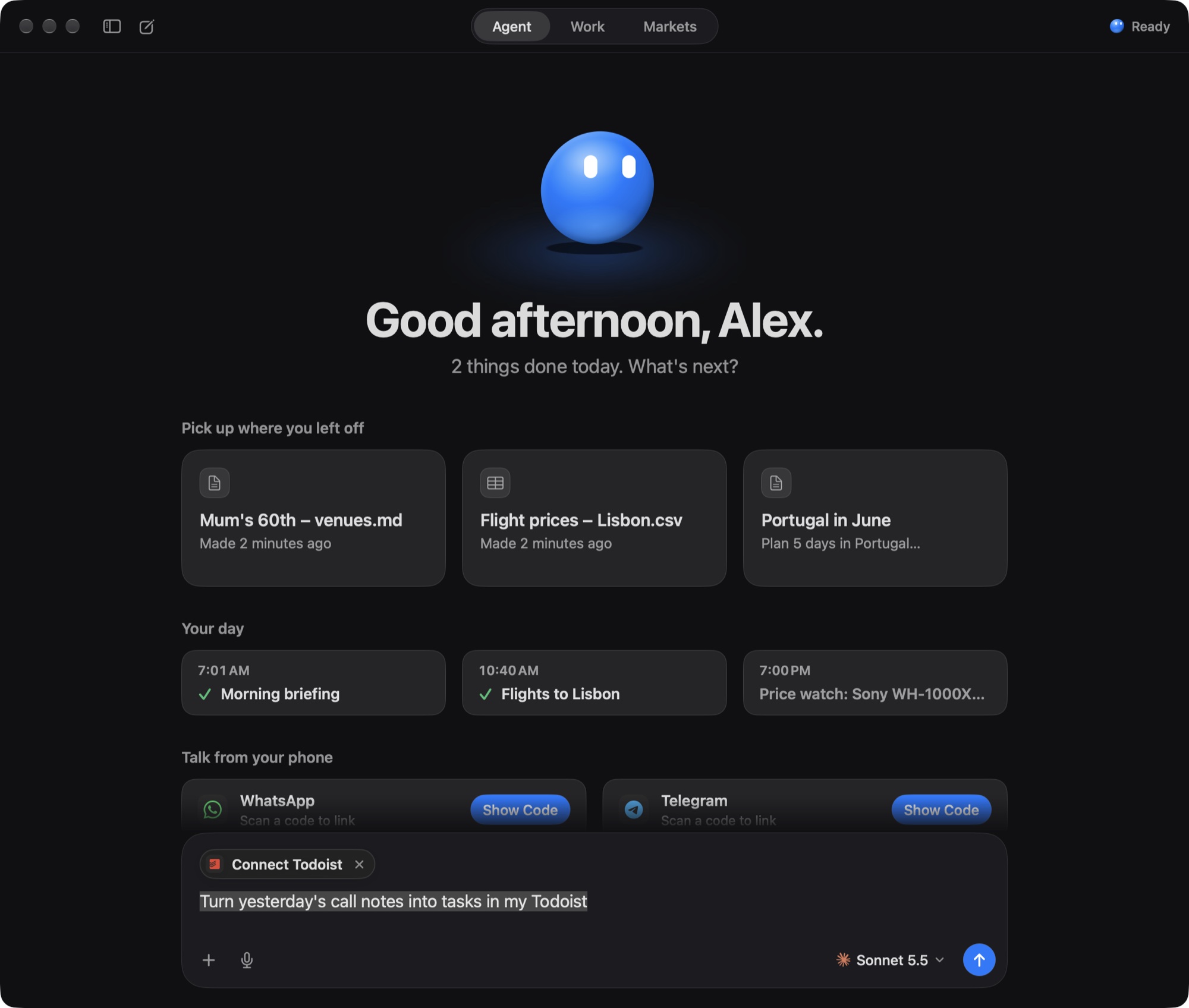
On Kaairos's home screen, under Talk from your phone, press Show Code next to Telegram and scan the code with your phone's camera. Telegram opens and offers to create your personal assistant bot; tap Create. From then on, message that bot and QuickSilver answers from your Mac. Kaairos saves your Telegram account as the only one allowed to use the bot.
Before you start
- Telegram installed on your phone, signed in to your account.
- Kaairos set up and running on your Mac, with the internet.
- For answers when you're away: your Mac on and awake, and Kaairos open or Keep working when closed on.
Link it
- On the home screen, find Talk from your phone and press Show Code next to Telegram. (Or open Settings › Phone & messages and press Connect next to Telegram. Setup also offers this step.)
- The card Create your Telegram assistant shows a QR code with three steps.
- Open the Camera on your phone and point it at the code.
- Telegram opens. Tap Create to make your personal assistant bot.
- Back on the Mac the code turns into a tick and the card says Telegram is linked. Press Done.
- Send your new bot a message to try it.
Using Telegram on the Mac itself? Under the code, On this Mac? Open Telegram instead opens the same link without scanning. The bot is named after you, for example “Alex's Kaairos”.
Using it
- Type as you would in Kaairos. Answers, and files it makes, come back in the same chat.
- Voice notes are transcribed on your Mac by the speech model built into Kaairos, and the transcript is echoed back so you can see what it heard.
- Routines can send their results here: choose Telegram under Send the result to, or ask from Telegram.
- Approvals: when QuickSilver wants your OK for something risky, it asks in the chat. Reply to approve or deny.
- Your work shows on the Mac too. Tasks from Telegram appear in the Work tab, marked with Telegram's logo.
The engine also understands a few chat commands sent as messages, such as /rollback to list and restore file snapshots (see Approvals and undo).
Statuses you might see
| Status | Where | Meaning |
|---|---|---|
| Scan a code to link | Home screen card | Not linked yet |
| Not set up / Off | Settings › Phone & messages | Not linked, or switched off; press Connect |
| Connecting… / Starting up… | Both | Kaairos is bringing the connection up |
| Connected | Both | Messages will get answers |
| A problem message | Both, and Work › Needs you | Telegram isn't connected; press Fix |
Common problems
- “That code expired. Let's make a new one.” Press Try Again for a fresh code.
- “Telegram setup didn't start. Try again in a moment.” The setup service didn't answer. Check the Mac is online and try again.
- “Kaairos' engine isn't running yet.” Wait for Kaairos to finish starting, then press Show Code again.
- The bot doesn't answer. Your Mac must be on and awake, with Kaairos open or Keep working when closed on. Check Settings › Phone & messages for a problem and press Fix.
- “Telegram isn't connected” in Work › Needs you, with the reason. Press Fix to link again.
Privacy and who can talk to it
Only your Telegram account can talk to the bot: when you link, Kaairos saves your account as its only allowed user. Settings › Phone & messages puts it plainly: “Only you can talk to QuickSilver. People you haven't approved get no reply.”
Your messages travel through Telegram's servers to your Mac, which does the work. Voice notes are transcribed on the Mac. The quick setup uses a small pairing service hosted by Nous Research (the makers of Kaairos's engine) to create the bot; after that, your Mac talks to Telegram directly.
Fair questions
Do I need to use @BotFather?
No. Scanning the code creates the bot for you. Kaairos has no field for pasting a BotFather token.
Does my phone talk to my Mac directly?
No. Messages go through Telegram. Your Mac only needs internet access; there are no ports to open.
Can someone else message my bot?
They can find it, but they get no reply. Only the Telegram account that linked it is allowed.
Can I use both Telegram and WhatsApp?
Yes. Link each one; routines can send to either.
Is there a Kaairos phone app?
Not yet. Kaairos shows it as Coming soon. Today, Telegram and WhatsApp are the ways in from your phone.
Download and go
Your AI agent, already set up.
One button to set up. Its own private AI, free. Claude, ChatGPT or Gemini when you want more.
A Mac with Apple silicon (M1 or later), macOS 15 Sequoia or later. 14-day refund.