
Compare
Hermes Agent vs OpenClaw
Hermes Agent, by Nous Research, and OpenClaw are the two open-source personal agents most people choose between in 2026. Both are MIT-licensed, run on your own computer, reach you on chat apps and run jobs on a schedule. We build Kaairos on Hermes Agent, so read this with that in mind; we've kept every claim to the projects' own docs.
The short answer
Hermes Agent centres on an agent that improves with use: it writes reusable skills, curates memory and has careful approval defaults. OpenClaw centres on a gateway that connects one assistant to more than thirty chat channels, with a large skills registry and apps on every platform. Both are free, MIT-licensed and need some setup. Kaairos is Hermes Agent already set up as a Mac app.
Side by side
What it is
| Hermes Agent | OpenClaw | |
|---|---|---|
| In its own words | “The self-improving AI agent built by Nous Research” | “The AI that really does things. Any OS. Any Platform.” |
| Made by | Nous Research | The OpenClaw Foundation, an independent 501(c)(3) |
| Language | Python | TypeScript (Node) |
| Licence | MIT | MIT |
| Latest release (16 Nov 2026) | v0.23.1 (10 November 2026), plus daily canary builds | 2026.11.4 (16 November 2026) |
Setup
| Hermes Agent | OpenClaw | |
|---|---|---|
| Install | One-line installer for macOS, Linux and WSL2; PowerShell for Windows; also Nix and Termux | One-line installer, PowerShell or npm install -g openclaw, then openclaw onboard --install-daemon |
| Desktop app | Hermes Desktop: macOS (12 or later) and Windows | macOS menu bar companion (needs macOS 26.2 or later), plus iOS, Android, Windows and Linux apps |
| Where tools run | Local, Docker, SSH, Modal, Daytona, Vercel Sandbox or Singularity | On the host for the main session unless you configure sandboxing |
Models
| Hermes Agent | OpenClaw | |
|---|---|---|
| Online | Many providers and any OpenAI-compatible endpoint | Many providers |
| Local | Ollama, llama.cpp llama-server, vLLM, LM Studio | Ollama (use the native URL, not /v1, or tool calling breaks), LM Studio |
Abilities
| Hermes Agent | OpenClaw | |
|---|---|---|
| Learning | A closed learning loop: creates skills after complex tasks and improves them in use | Skills you install; a background “dreaming” process promotes useful notes into memory |
| Memory | Agent-curated memory, full-text search across past sessions with summaries, Honcho user modelling | Plain Markdown files (USER.md, MEMORY.md, daily notes); hybrid vector and keyword search |
| Skills | agentskills.io standard; shared through the Skills Hub | SKILL.md folders; ClawHub public registry with security scan status |
| Chat channels | 20+ from one gateway, including Telegram, WhatsApp, Signal, Slack, Discord, iMessage (BlueBubbles), Email, SMS, Matrix and Teams | 33 in its catalog, including WhatsApp, Telegram, iMessage, Signal, Slack, Discord, Teams, Matrix, WeChat and LINE |
| Scheduling | Built-in cron, described in plain language, delivered to any platform | Built-in scheduler: one-shot reminders, cron, condition watchers, webhooks, Gmail triggers |
| MCP | Connect any MCP server, with tool filtering | Supported (not compared in detail here) |
| Voice and quick access | Voice notes through the gateway | Quick Chat on Option-Space in the Mac app, voice, WebChat |
Safety
| Hermes Agent | OpenClaw | |
|---|---|---|
| Approvals | smart by default: a helper model approves low-risk commands, denies dangerous ones and asks when unsure; manual and off too | Allowlists, which its docs say are “not a shell security boundary”; sandboxing is opt-in |
| Unattended jobs | Scheduled and unattended runs deny risky actions by default; a hardline blocklist applies even in YOLO mode | Read the security, exposure and sandboxing guides before exposing the gateway |
| Strangers messaging it | DM pairing with 8-character codes you approve | Unknown DM senders are paired by default; “treat inbound messages as untrusted input” |
| Third-party skills | Shared through the Skills Hub | “Treat third-party skills as untrusted code. Read them before enabling.” |
Price
| Hermes Agent | OpenClaw | |
|---|---|---|
| Software | Free | Free |
| Models | Paid to the provider, or free if local | Paid to the provider, or free if local |
What each is really for
Hermes Agent: an agent that gets better at your jobs
Hermes's centre of gravity is the agent itself. After a complex task it can write a skill, a reusable recipe, and refine it next time. It curates its own memory, searches past conversations, and can model you as a user over time. Its approval system is the most developed of the two: a helper model triages commands, unattended jobs default to deny, and some commands are blocked whatever the setting. It's a good fit for recurring work that benefits from practice.
OpenClaw: one assistant on every channel
OpenClaw's centre of gravity is the gateway, the local control plane that connects your assistant to chat apps. Its channel list is the longest of any open agent, it has native apps on every major platform, and ClawHub has a large catalogue of skills. Its scheduler goes beyond cron with condition watchers, webhooks and Gmail triggers. Its memory is deliberately transparent: plain Markdown files you can read and edit. It's a good fit for people who want one assistant reachable from everywhere, and who will tune it.
Where Kaairos fits
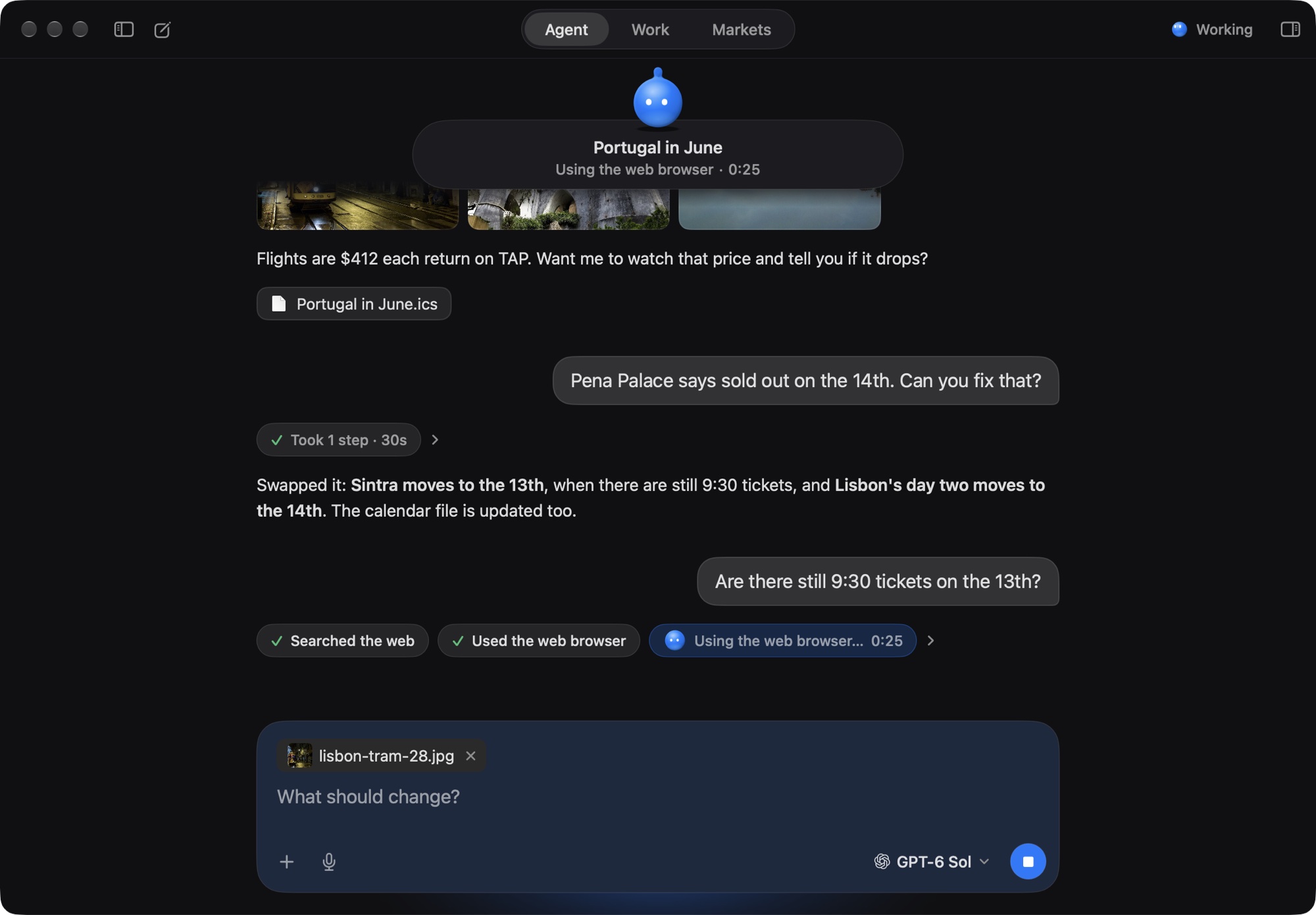
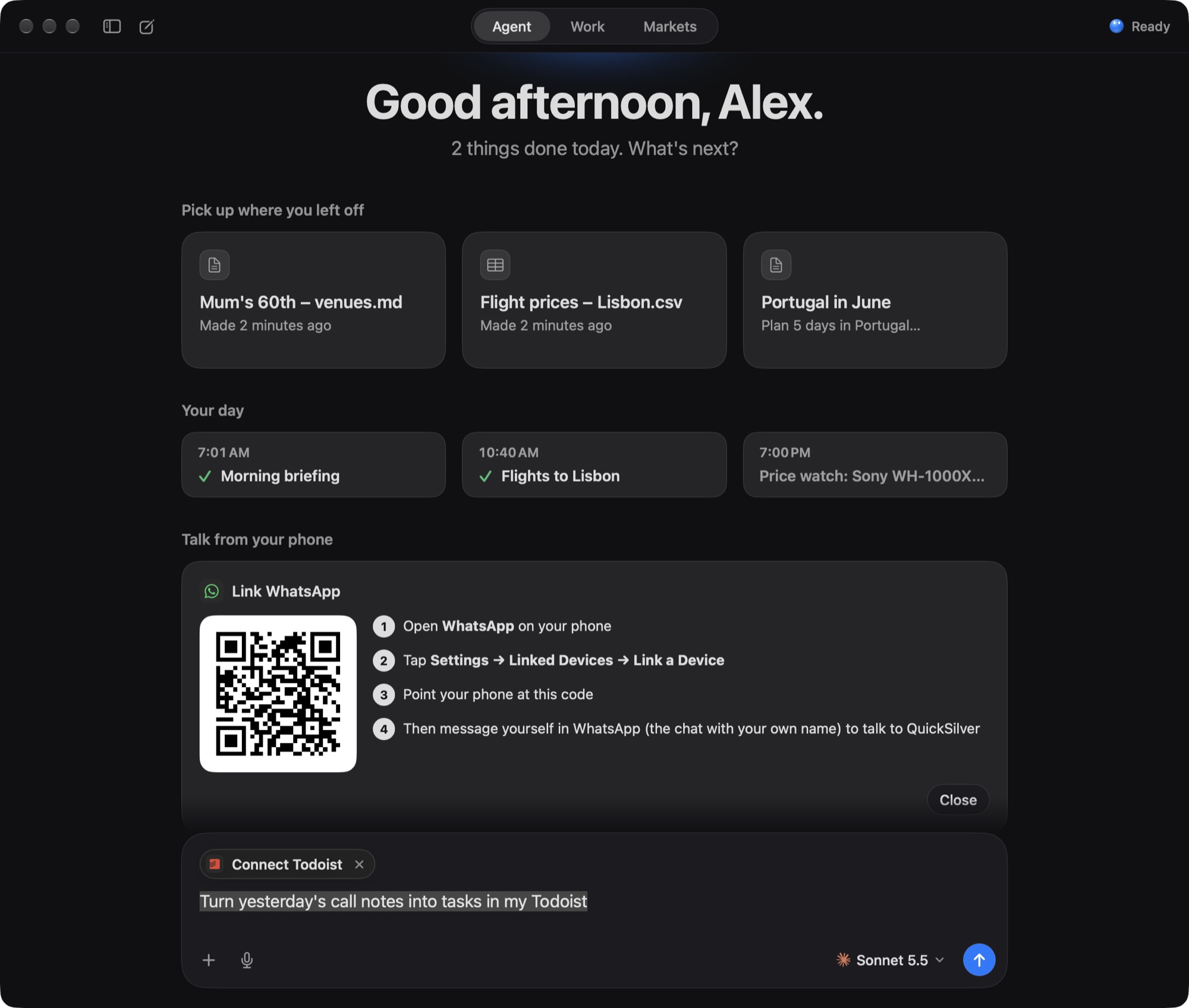
Kaairos is Hermes Agent 0.23.1 inside a Mac app, set up for you. It adds its own private AI (sized for your Mac and run by Hermes's own llama.cpp manager), hybrid routing between that and any online AI you connect, a routines gallery, Telegram and WhatsApp pairing by QR code, plain-words approvals with three levels, and a live view of what stays on the Mac. It keeps everything in its own folder (~/.kaairos) and never touches an existing ~/.hermes setup. Kaairos isn't affiliated with Nous Research.
The same task in all three: a daily reminder that won't let go
You need to renew your car insurance before 30 November and want a nudge on your phone every day until it's done.
With Hermes Agent
- Install Hermes with the one-line installer and run its setup to choose a model provider.
- Set up the gateway for Telegram (create a bot, add its token) or another channel, and approve your DM pairing code.
- Ask in plain language for a daily reminder until you say it's done; Hermes's cron delivers it to your chat.
With OpenClaw
- Install OpenClaw and run
openclaw onboard --install-daemon; choose a model provider. - Connect a channel such as WhatsApp or Telegram and pair your account.
- Ask for the reminder, or create it with
openclaw automations; output goes to your chat channel.
With Kaairos
- Open Kaairos and click Set it up once; the private AI is ready.
- Scan the WhatsApp or Telegram code on the home screen.
- Ask for the reminder in a chat or from your phone.
Remind me every morning at 9 to renew the car insurance, until I tell you it's done. It expires 30 November.
I'll message you on WhatsApp every day at 9:00 until you say done. From 25 November I'll mark it urgent. Reply “done” any time and I'll stop.
Privacy, side by side
Both projects run on your computer and keep their state there. What leaves the machine depends on the model you choose: with a local model through Ollama, llama.cpp or LM Studio, your prompts stay put; with an online provider, they go to that provider. Messages through WhatsApp, Telegram or other channels pass through those services, as they would for any chat.
- Hermes Agent keeps its data in its home folder, and its security guide covers approvals, DM pairing and blocked commands.
- OpenClaw keeps memory as Markdown in
~/.openclaw/workspace(“there is no hidden state”) and makes anonymous stats opt-in. - Kaairos keeps everything in ~/.kaairos and its Kaairos folder, has no analytics, and shows live what stays on the Mac and what goes online.
What it costs in the first year
- Hermes Agent or OpenClaw with a local model: $0 for the software, on a Mac with enough memory for a model that handles tools well.
- With an online model: the provider's usage charges, which depend on how much the agent does. Agents read long pages and call tools, so they use more than chat.
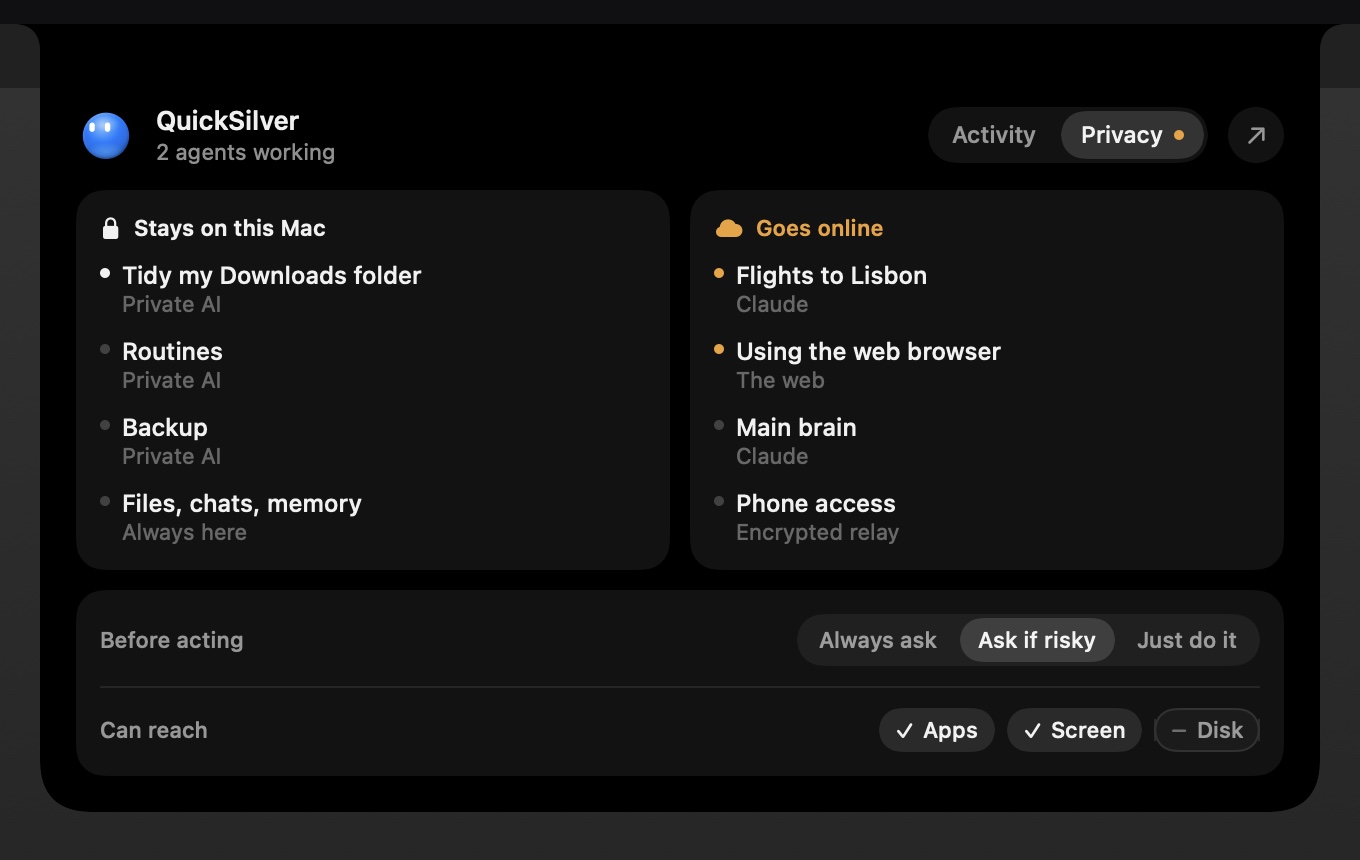
- Kaairos: $29 once, with its private AI included on a 32 GB Mac. Online AI, if you add it, is billed by that company.
The other cost is time: installing, choosing and updating models, setting up channels, and keeping it all running. For some people that's the fun part. For others it's the reason a finished app exists.
Using them together
People do run both: OpenClaw as the always-on assistant on many channels, Hermes for recurring work it can learn. If you run either alongside Kaairos, there's no clash: Kaairos uses its own folder and its own engine copy, and doesn't read or change ~/.hermes or ~/.openclaw. Don't link the same WhatsApp or Telegram account to two agents at once, or both will answer.
Which to pick
- Pick OpenClaw if you want the widest set of chat channels, native apps on every platform, transparent Markdown memory and a large public skills registry.
- Pick Hermes Agent if you want an agent that learns reusable skills, careful approvals by default, and many places to run tools, from Docker to cloud sandboxes.
- Pick Hermes Desktop if you want Hermes in a window on Mac or Windows with your existing setup.
- Pick Kaairos if you want Hermes on a Mac with no terminal, a private AI included and phone access by QR code.
Sources
Fair questions
What's the main difference between Hermes Agent and OpenClaw?
Hermes is built around an agent that learns, writing and improving skills from completed work. OpenClaw is built around a gateway that connects one assistant to many chat channels and platforms.
Are Hermes Agent and OpenClaw free?
Both are open source under the MIT licence. You pay only for online models you use; local models are free.
Which works better on a Mac?
Both run on macOS. Hermes has Hermes Desktop for macOS 12 or later; OpenClaw's menu bar app needs macOS 26.2 or later. Kaairos is Hermes Agent set up as a Mac app for macOS 15 or later.
Can both use local models?
Yes. Hermes supports Ollama, llama.cpp, vLLM and LM Studio. OpenClaw supports Ollama (through its native URL) and LM Studio.
Which is safer?
Both document their risks. Hermes's default smart approvals, deny-by-default for unattended jobs and a hardline blocklist are stricter out of the box. OpenClaw runs tools on the host unless you set up sandboxing, and warns to treat third-party skills as untrusted code.
Is Kaairos a version of Hermes Agent?
Kaairos is a Mac app built on Hermes Agent by Nous Research (MIT). It isn't affiliated with or endorsed by Nous Research.
Can I move from OpenClaw to Hermes?
There isn't a one-click migration we can point to in either project's docs. Skills are similar in shape (folders with a SKILL.md), but check each skill before reusing it.
Download and go
Your AI agent, already set up.
One button to set up. Its own private AI, free. Claude, ChatGPT or Gemini when you want more.
A Mac with Apple silicon (M1 or later), macOS 15 Sequoia or later. 14-day refund.