
Use case · Claude Code
Claude Code finds the answer. Kaairos keeps checking it.
A Claude Code session ends when you close the terminal. A check you want every morning can't live there. Ask Claude Code to hand it to Kaairos and it becomes a routine on your Mac: it runs on schedule, shows up in Kaairos's Work tab, and its results wait for you in Kaairos, or on your phone if you've linked it.
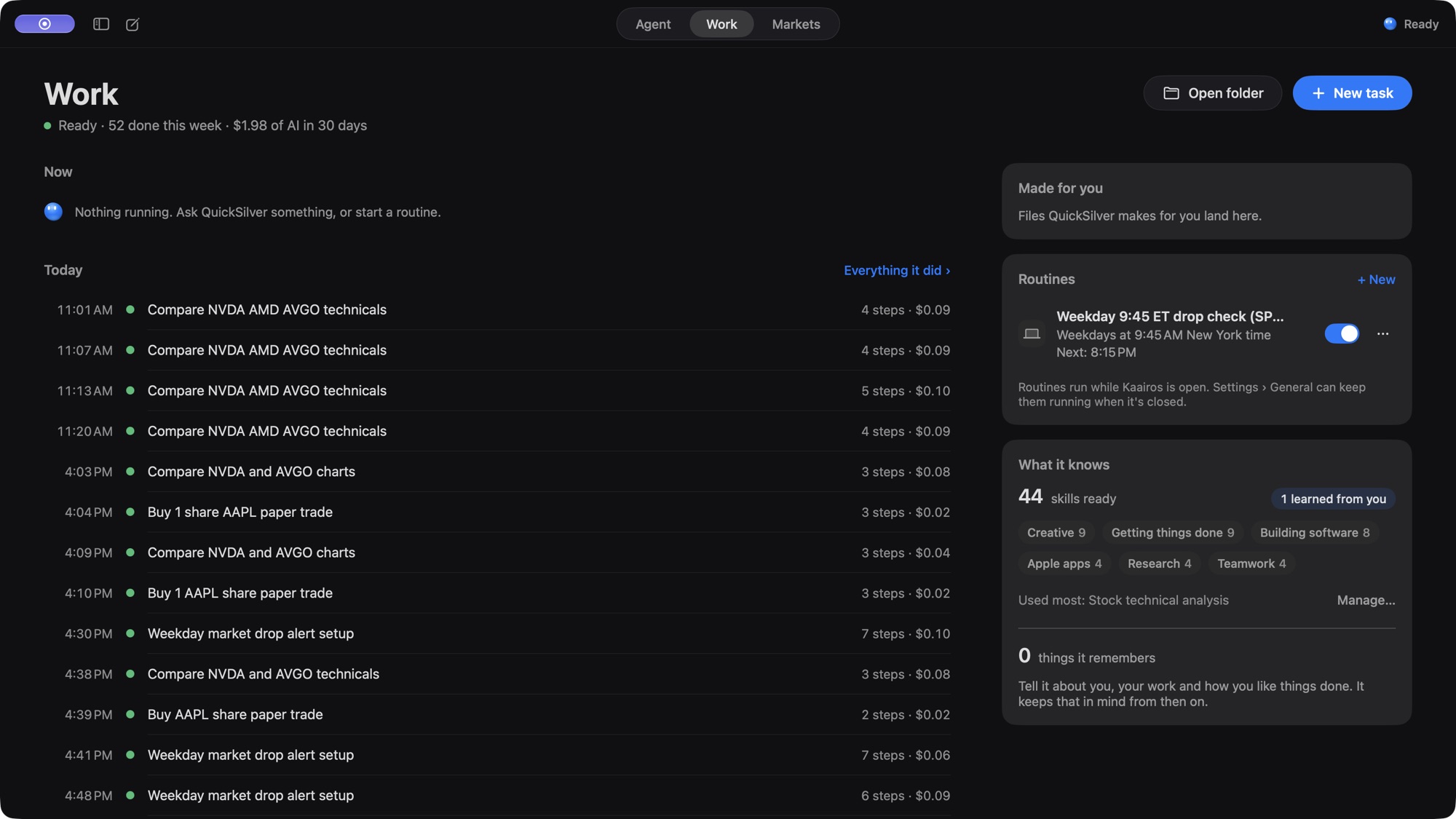
The session
What you see in Kaairos
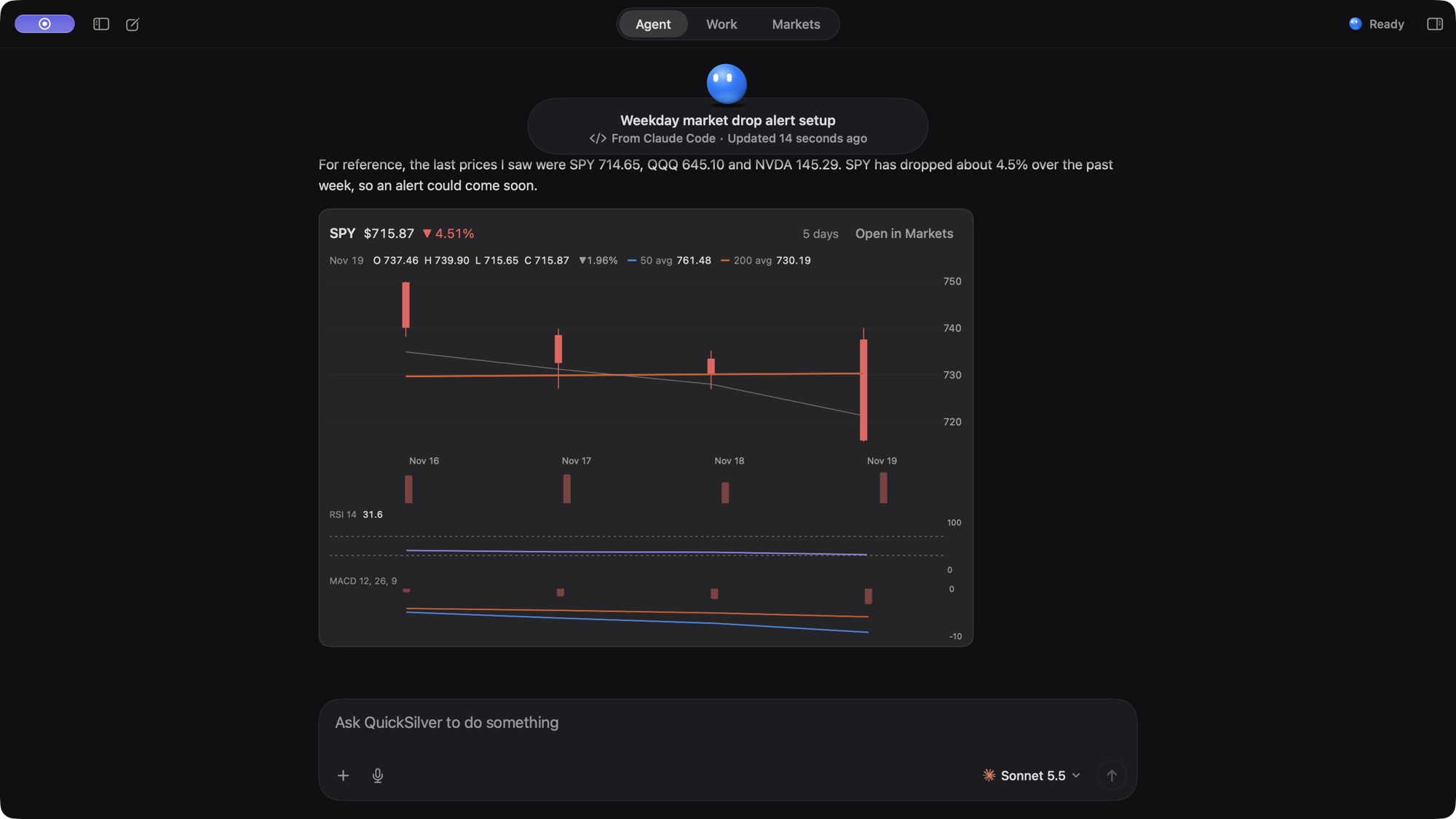
Nothing about the routine depends on Claude Code afterwards. You can pause it, change it or run it now from the Work tab, and ask Kaairos to change it in plain words, as with any routine.
What Kaairos wrote for each run
A routine is a set of instructions that Kaairos's agent follows on schedule, with nobody watching. So Kaairos turned the one-line request into exact steps, which it saved with the routine and showed to Claude Code. These are its steps, lightly shortened:
- Check whether the US market is open today. If it's closed for a holiday, reply with one short line saying so, and stop.
- Get the latest price for SPY, QQQ and NVDA.
- For each one, read the last five days of daily bars and take the previous completed session's close: the last bar dated before today, never today's partial bar.
- Work out the change: (latest − previous close) ÷ previous close × 100.
- If any is down more than 2%, start with “ALERT:”, name which ones with price and change, and add a line on how the others are doing. If none is, say so in one line with the three changes.
- Say that prices come from a feed that may be slightly delayed. Do not place any trades.
Two details show why this is the agent's job rather than a timer's. Step 1 stops it from sounding a false alarm on a holiday, when the latest price is just yesterday's close. Step 3 avoids the classic mistake of comparing against today's half-finished bar, which would make every morning look flat. You can read and edit these steps in the Work tab, or ask Kaairos to change them.
Time zones, handled
Markets keep New York time; you may not. The routine runs at 9:45 AM in New York, and Kaairos tells both you and Claude Code when that is on your clock: 8:15 PM in India, 2:45 PM in London. When daylight saving changes in one place and not the other, the routine still runs at 9:45 AM New York time.
Ideas to try
- “Have Kaairos check my backtest's signal on SPY every weekday at the close and tell me if it flips.”
- “Every Friday at 5 PM New York time, have Kaairos summarise my paper account's week.”
- “Have Kaairos watch AMD and message me if it closes below its 200-day average.”
- “Ask Kaairos what routines I have, and pause the morning one while I'm travelling.”
Routines read and report; they never trade. A routine runs with nobody there to approve, so Kaairos refuses any order it tries. When an alert makes you want to act, ask in a chat and approve the order there.
Set it up
- In Kaairos, connect Alpaca in Settings › Trading. A paper account is free and uses real market prices.
- In Settings › Claude Code, click Add Kaairos.
- Start a new Claude Code session in your project folder and ask in plain words. Type
/mcpif you want to see Kaairos listed first.
Limits
- Routines run while your Mac is on and awake. Turn on Keep working when closed in Settings › General to keep them going after you close Kaairos's window.
- Results appear in Kaairos. To get them on your phone, link Telegram or WhatsApp in Kaairos.
- Market prices can be up to 15 minutes old.
Fair questions
Does the routine need Claude Code to keep running?
No. Once Kaairos has it, it's a Kaairos routine. Claude Code can be closed or uninstalled.
Which AI runs the routine?
Kaairos's own: the private AI on your Mac by default, or the AI you've chosen for routines.
Can Claude Code change or remove it later?
It can ask Kaairos to, with kaairos_do, and see the result with kaairos_routines. You can also do it yourself in the Work tab.
Download and go
Your AI agent, already set up.
One button to set up. Its own private AI, free. Claude, ChatGPT or Gemini when you want more.
A Mac with Apple silicon (M1 or later), macOS 15 Sequoia or later. 14-day refund.