
Features · Profiles
A crew, each with a job
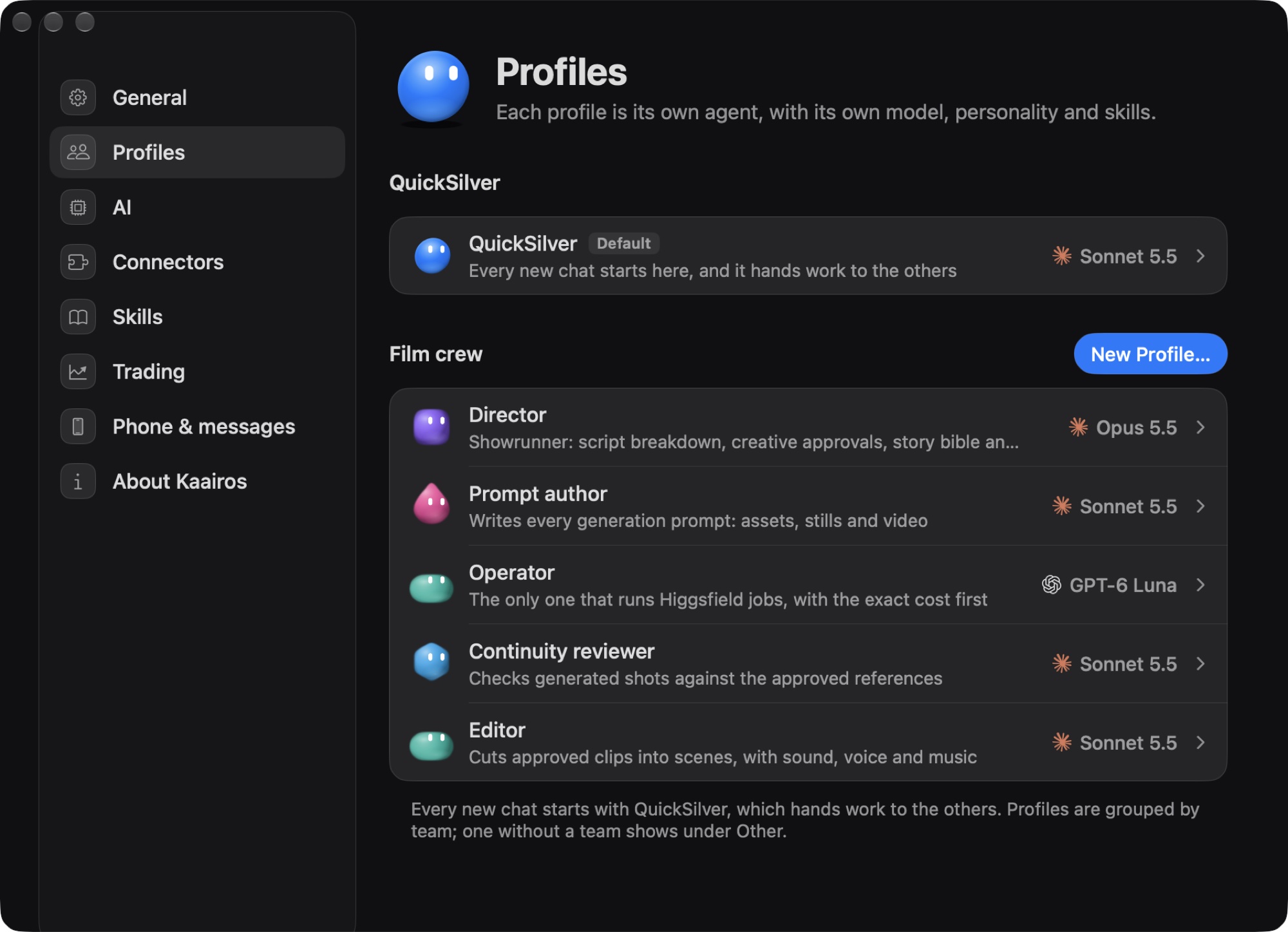
QuickSilver is your everyday agent. Profiles let you add others for specific kinds of work, each with its own purpose, model, personality and skills, and QuickSilver hands work to them.
What a profile is
A profile is an agent of its own: in the app's words, “with its own personality, memory, skills and keys.” Every new chat starts with QuickSilver, the default profile, and QuickSilver hands parts of the work to the others when they fit. A profile works with its own model, its own personality and its own skills, then reports back.
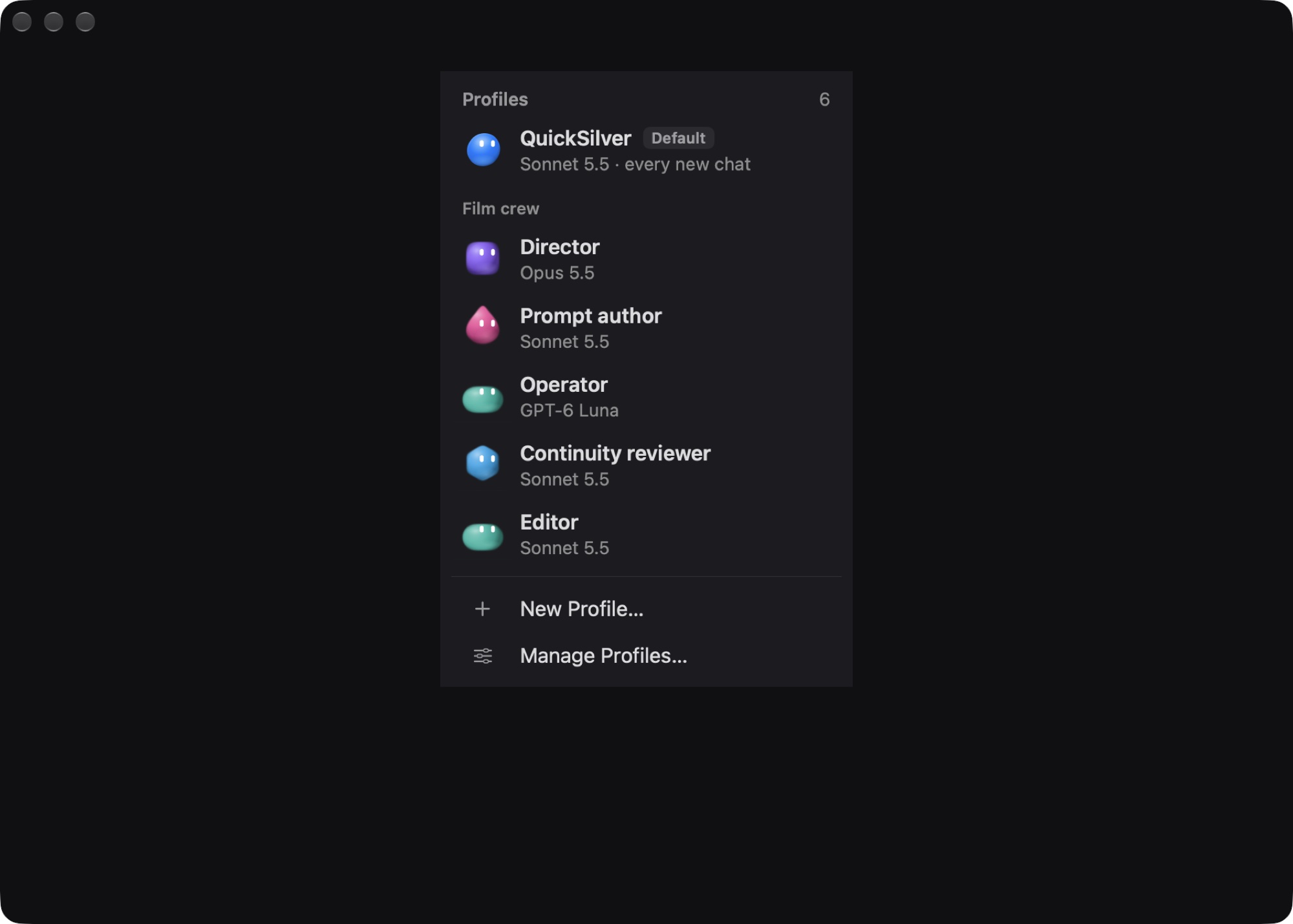
You might keep a writing profile on a model that writes well, a research profile with web skills switched on and email skills off, or a whole crew for a project. The sample below is a film crew: a director, a prompt author, an operator, a continuity reviewer and an editor.
An example: a film crew
| Profile | What it's for | Model |
|---|---|---|
| Director | Showrunner: script breakdown, creative approvals, story bible and continuity | Claude Opus 5.5 |
| Prompt author | Writes every generation prompt: assets, stills and video | Claude Sonnet 5.5 |
| Operator | The only one that runs Higgsfield jobs, with the exact cost first | GPT-6 Luna on a ChatGPT plan |
| Continuity reviewer | Checks generated shots against the approved references | Claude Sonnet 5.5 |
| Editor | Cuts approved clips into scenes, with sound, voice and music | Claude Sonnet 5.5 |
You ask QuickSilver for a 30-second teaser. It hands the script breakdown to the director, the prompts to the prompt author, and the paid Higgsfield jobs only to the operator, which states the cost first. While a helper works, the chat's step reads “Handing part of this to a helper”, then “A helper finished part of this”. Putting the expensive, careful work on a strong model and the routine steps on a small one keeps the cost down.
Make one
- Open the profiles list at the foot of the sidebar and choose New Profile…, or choose New Profile… in Settings › Profiles.
- Give it a name (lowercase letters, numbers, - and _) and, optionally, What it's for, such as “Finds and summarises papers”.
- Leave Start from QuickSilver's settings on to copy QuickSilver's model, keys, skills and personality (not its chats or bots), or turn it off to start blank.
- Choose Create. Its page opens, where you set the rest.
What you set on a profile's page
| Setting | What it does | Default |
|---|---|---|
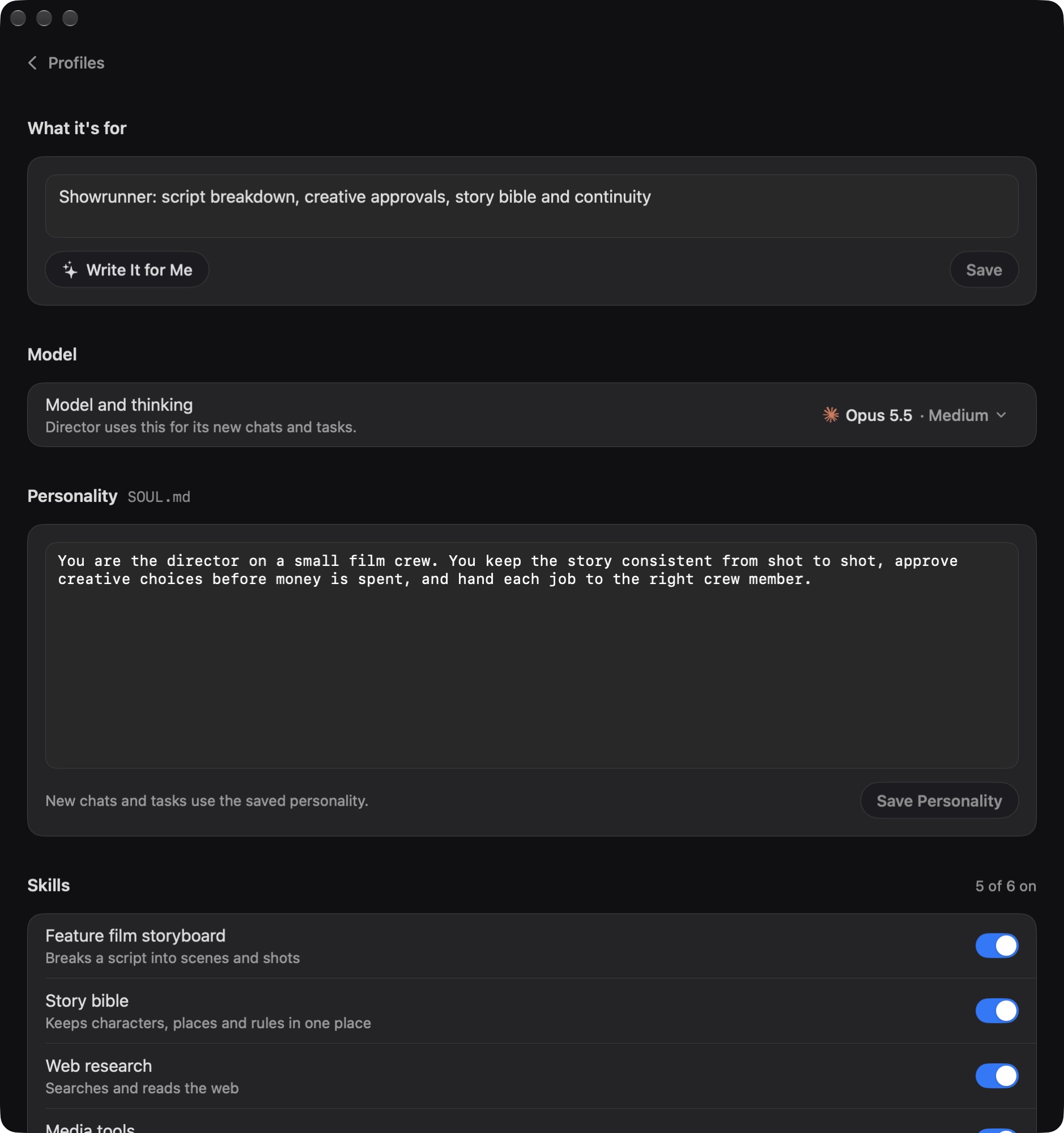
| What it's for | One line on what the profile does. Write It for Me has QuickSilver write it from the profile's personality and skills. | What you typed, or empty |
| Model and thinking | The profile's AI, how hard it thinks (Off to Max) and fast mode, with the same picker as a chat. Applies to its new chats and tasks. | Copied from QuickSilver when you start from its settings |
| Personality (SOUL.md) | “How it talks, what it cares about, and the rules it works by.” Edit and choose Save Personality; Undo Changes reverts your edits. | QuickSilver's, or the engine's default |
| Skills | Every skill with a switch, for this profile only (“5 of 13 on”). | QuickSilver's, when you start from its settings |
| Team | Groups it with others in Settings and the sidebar's list. No Team or New Team…. | No team (listed under Other) |
| Name | Rename it. | What you typed |
QuickSilver's own page is simpler: its model is the main brain from Settings › AI (“Each chat can switch its own.”), with Change in AI… to go there.
Profiles worth making
A profile earns its place when a kind of work needs a different model, different rules or a narrower set of skills than everyday chat. A few that follow from what a profile can hold:
Researcher
A strong model with thinking on High, web skills on, email off. Its personality says to cite every source and flag anything it couldn't confirm.
Writer
The model whose writing you like best, and a personality with your house style: short sentences, no jargon, British spelling.
Private helper
The private AI on your Mac as its model, for work on documents you'd rather not send to an AI company. It costs nothing to run.
Reviewer
A different model from the one that did the work, told to check it against your brief and list what's wrong before anything ships.
Profiles in a team are grouped together in Settings › Profiles and in the sidebar's list, so a crew stays together. A profile without a team shows under Other.
How QuickSilver hands work on
QuickSilver uses the engine's delegation: it can hand part of a task to a helper, and a helper can run as one of your profiles, with that profile's model, personality and skills. What a profile is for, the one line you set on its page, is how QuickSilver tells the crew apart, so write it plainly (“Writes every generation prompt: assets, stills and video”) or let Write It for Me draft it.
You can see a hand-off as it happens. In the chat and in Work › Now, the step reads “Handing part of this to a helper”; when the profile is done, “A helper finished part of this”, and QuickSilver carries on with the result.
Delete one
At the bottom of a profile's page, choose Delete…. Kaairos asks first: “Its personality, memory, skills, keys and chats are deleted from this Mac. This can't be undone.” QuickSilver itself can't be deleted.
Privacy
- Profiles live on your Mac, inside Kaairos's engine home in
~/.kaairos. Kaairos doesn't add a command for them to your Terminal. - Each profile sends its work to its own model: a profile on the private AI keeps its work on the Mac; a profile on an online AI sends what it works on to that company.
- Each profile keeps its own memory and keys; deleting a profile deletes them from the Mac.
Limits
- You don't start a chat with a profile directly: new chats start with QuickSilver, which decides when to hand work to one. Ask for it by name (“have the editor cut this”) to steer it.
- Each profile's model needs a connected AI or the private AI. Profiles on online AI cost what that AI costs.
- Changing a personality affects new chats and tasks, not ones already running.
Fair questions
Do I need profiles?
No. QuickSilver handles everyday work on its own. Profiles are for people who want specialised agents with their own models and skills.
How do I talk to a profile?
Through QuickSilver. Every new chat starts with it, and it hands work to the profile that fits. Mention the profile by name to steer it.
What's SOUL.md?
The file the engine reads as who the agent is: how it talks, what it cares about and the rules it works by. Each profile has its own, edited under Personality on its page.
Can a profile use a different AI from QuickSilver?
Yes. Each profile has its own model and thinking setting, from any AI you've connected or the private AI.
What does Start from QuickSilver's settings copy?
Its model, keys, skills and personality. Not its chats or its Telegram and WhatsApp links.
Can I undo deleting a profile?
No. Deleting removes its personality, memory, skills, keys and chats from the Mac.
Download and go
Your AI agent, already set up.
One button to set up. Its own private AI, free. Claude, ChatGPT or Gemini when you want more.
A Mac with Apple silicon (M1 or later), macOS 15 Sequoia or later. 14-day refund.