
Compare
Kaairos vs Ollama
Ollama is the most popular way to run open models on your own computer: a background server, a command line, an API and a simple chat app. Kaairos is a finished AI agent for the Mac that brings its own private AI and does tasks for you. They solve different problems, and they work well together.
The short answer
Choose Ollama if you want a free, open-source way to download and run many open models, serve them to your own code or other apps, and you're comfortable with a terminal. Choose Kaairos if you want an agent that does tasks for you (briefings, price watches, research, reminders on your phone) with a private model already picked and set up, and no terminal at all.
At a glance
What it is and who it's for
| Kaairos | Ollama | |
|---|---|---|
| What it is | A Mac app: an AI agent that's already set up, built on the open-source Hermes Agent | A local model runtime: a background server with a CLI, a REST API, an OpenAI-compatible API and a desktop chat app; also hosted cloud models |
| Made for | People who want things done and never want to choose or manage a model | Developers, tinkerers and apps that need models; people who like to pick and swap models themselves |
| Does tasks on its own | Yes: searches, browses, writes files, runs on a schedule, messages you | No. Models can request tools, but your app runs them. Agents come from other apps that use Ollama |
Setup
| Kaairos | Ollama | |
|---|---|---|
| Install | Open the app, enter your licence key, press Set it up | Drag the app from a DMG into Applications, or run the install script in Terminal |
| Terminal needed | No | Not to chat in the app; yes for most of what Ollama is used for (ollama run, ollama launch, environment variables) |
| Account or API key | No (a licence key from your purchase; AI accounts are optional) | No for local models; a free Ollama account for cloud models and the web search API |
| Choosing a model | Done for you: setup picks the private AI that fits your Mac's memory | You choose from the model library and pull it by name and size tag |
Models
| Kaairos | Ollama | |
|---|---|---|
| Local runtime | Hermes' own llama.cpp server, built in | Its own engine; on Apple silicon an MLX-based runtime in preview since March 2026 |
| Local models | One open-weight model from Hermes' curated catalog, chosen for your Mac; no model browser | A large library of open models (for example Gemma 4, Qwen) in many sizes and quantizations |
| Context window | At least 64K tokens, always | Set by memory: 4K under 24 GiB, 32K from 24 to 48 GiB, 256K at 48 GiB or more; adjustable with a slider or settings |
| Memory for local AI | 32 GB or more | Depends on the model: from a few GB for small models to 20 GB and up for large ones |
| Online models | Optional: Sign in with ChatGPT, 19 services with your own key (Claude, Gemini, OpenRouter and more), or Your Own Endpoint | Ollama's own cloud models (pay as you go or a plan); not other companies' APIs |
| Mixing local and online | Automatic: conversations on the online AI, routines on the private AI, the private AI as backup | You pick a local or cloud model per request |
What it can do
| Kaairos | Ollama | |
|---|---|---|
| Chat | Yes, typed or spoken | Yes, in the app or with ollama run |
| Files and images in chat | Yes | Yes: text, PDF and code files, and images for models that see |
| Searches the web | Yes, and browses sites with its own browser | A web search and fetch API (free Ollama account) for apps you build; not an agent that browses for you |
| Routines on a schedule | Yes: plain words or a gallery of 13 ready-made routines | No |
| Phone | Telegram and WhatsApp, linked by scanning a code | No (through other apps such as Hermes Agent or OpenClaw, which ollama launch can install) |
| Voice | Dictation, and voice notes transcribed on the Mac | No |
| Photos, video, charts in replies | Yes; generating images needs an image service or Higgsfield account | No |
| Apps and connectors | MCP connectors from a catalog: Notion, Linear, Asana, Dropbox, Stripe and more | Integrations that point other tools (Claude Code, OpenCode, VS Code, Claude and ChatGPT desktop apps) at Ollama models |
| API for your own code | No | Yes: REST API and an OpenAI-compatible API on localhost:11434, plus Python and JavaScript libraries |
Safety
| Kaairos | Ollama | |
|---|---|---|
| Approvals before actions | Three levels; by default it reads freely and asks before deleting, buying or sending | Not applicable: Ollama doesn't take actions. The app that runs tools decides |
| Undo | Changed files are snapshotted so they can be undone | Not applicable |
| Network exposure | The engine listens only on the Mac itself (127.0.0.1) | Local only by default (127.0.0.1); setting OLLAMA_HOST to 0.0.0.0 opens the API to your network with no sign-in |
Privacy
| Kaairos | Ollama | |
|---|---|---|
| Local chats leave the Mac | No | No |
| Usage data | No analytics in the app; the engine's metrics sharing is off | Its privacy policy says it may collect limited device and usage metadata, such as app version and request counts |
| Local-only switch | Use only the private AI: nothing goes to an AI company | OLLAMA_NO_CLOUD=1 or a setting in ~/.ollama/server.json turns off cloud models and web search |
Platforms and requirements
| Kaairos | Ollama | |
|---|---|---|
| Mac | Apple silicon, macOS 15 Sequoia or later | macOS 14 Sonoma or later; Apple silicon (CPU and GPU) or Intel (CPU only) |
| Windows and Linux | No | Yes |
| Disk | About 30 GB free (app plus private AI) | The app, plus each model you pull (stored in ~/.ollama/models) |
Licence, price, updates, support
| Kaairos | Ollama | |
|---|---|---|
| Licence | Proprietary app; its engine, Hermes Agent, is MIT | Open source, MIT |
| Price | $29 at launch, then $80, once, for 3 Macs | Free for local use; cloud: pay as you go, Pro $20 a month, Max $100 a month, Team $500 a month |
| Updates | Every 1.x update included | Updates download automatically on macOS |
| Support | Email, support@stuvio.co; 14-day refund | Docs, GitHub, Discord and Reddit; priority support on Team |
What each is really for
Ollama: models as a service on your own machine
Ollama's job is to make open models easy to run and easy to reach. It installs a small server that stays in the background, downloads models by name (ollama run gemma4), keeps them in ~/.ollama, loads them when asked and unloads them after five idle minutes. Any program on your Mac can then talk to them through its REST API or its OpenAI-compatible API. That is why so many tools list Ollama as a provider: code editors, chat clients, and agents such as OpenClaw and Hermes Agent, which ollama launch can install and point at your local model.
Ollama has grown beyond that core. Its desktop app (since July 2025) is a clean chat window where you can drop in PDFs or images. It offers cloud models that run on Ollama's servers when your Mac is too small for a big model, with a free pay-as-you-go tier and monthly plans, and it has a web search API for developers. It is free, MIT-licensed, runs on Mac, Windows and Linux, and has one of the largest communities in local AI. If you like choosing models, comparing them and wiring them into your own tools, it is excellent.
What Ollama doesn't try to be is the thing that does your errands. A model on its own answers; it doesn't search, schedule or message you. For that you add an agent on top, and set the agent up yourself.
Kaairos: the agent, with the model already chosen
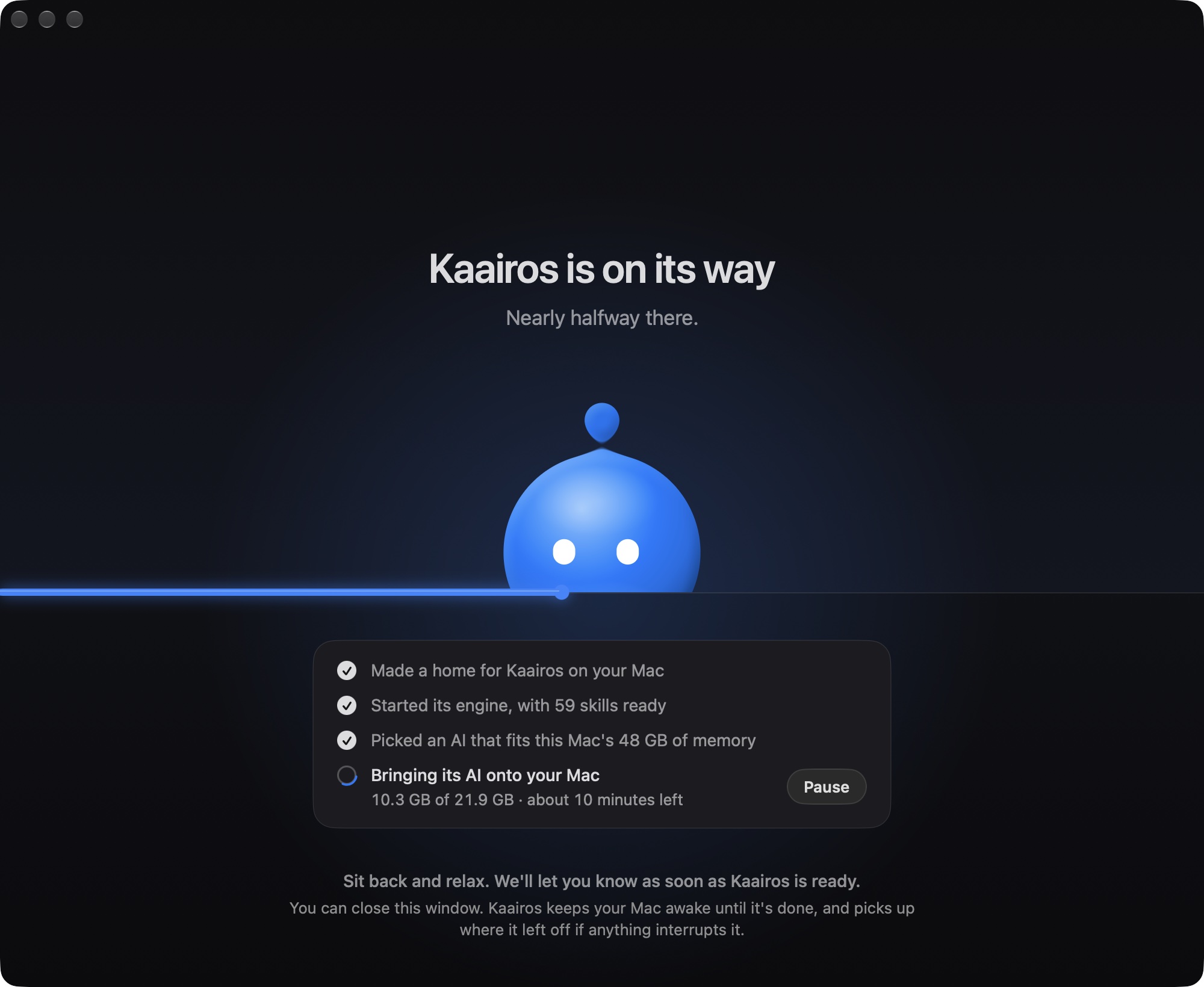
Kaairos starts from the other end. It assumes you don't want to know which model is running, and that what you want is outcomes: a briefing every morning, a message when a flight drops under your price, a research brief before you buy something, a reminder that keeps nudging. The agent engine (Hermes Agent by Nous Research) is inside the app, and setup is one button that downloads a private model chosen for your Mac's memory and runs it with the long context agents need.
Around that it adds what a model runner doesn't have: a gallery of routines, phone access through Telegram and WhatsApp, approvals before risky steps, snapshots so file changes can be undone, and a Work tab that shows what's running and what it made. When you want more power you can connect Claude, Gemini or your ChatGPT plan, and Kaairos sends each job to the right AI. The trade-off is choice: you get one well-picked private model, not a library, and it runs only on Apple silicon Macs.
The same job in both
Here is one realistic task: every weekday at 8, send me a short briefing on my phone with the weather and the news I follow.
With Ollama
Ollama itself can't do this: it has no scheduler, no web browsing for you and no phone link. You add an agent. Ollama's own docs describe the shortest route, which uses Hermes Agent, the same open-source engine Kaairos is built on:
- Install Ollama, open Terminal and pull a model that fits your Mac, for example
ollama pull gemma4. Ollama's docs recommend at least 64,000 tokens of context for agents and web search, so raise the context length in the app's settings if your memory allows. - Run
ollama launch hermes. Ollama offers to install the Hermes command-line agent and points it athttp://127.0.0.1:11434/v1with the model you choose. - Run
hermes gateway setupand connect Telegram (or Discord, Slack, WhatsApp, Signal or email). - In the Hermes chat, ask: “Every weekday at 8am, send me the weather and the news I follow on Telegram.” Hermes creates a scheduled job, or you can use
/cron addyourself. - Keep the Hermes gateway running: its docs say cron jobs are run by the gateway daemon, and jobs that come due while it's down are skipped until it's back.
This works, and you control every part. It also means a terminal, a few config choices, and keeping two background services healthy.
With Kaairos
- In the Work tab, open New routine and pick Morning briefing (or just ask in a chat).
- Fill in the blanks, such as your city and topics, and choose where results go: your Telegram or WhatsApp chat.
- If you haven't linked a phone yet, scan the code shown on the home screen with Telegram or WhatsApp.
- Turn on Keep working when closed if you want it to run with the app closed. The Mac must be on and awake.
Every weekday at 8, send me a short briefing on Telegram: the weather in Lisbon, and news about Apple and electric cars.
Done. I've made a routine called Morning briefing for weekdays at 8:00, delivered to your Telegram chat. It runs on the private AI on this Mac, so it costs nothing. You can pause it from the Work tab.
Good morning. Lisbon: 17° and sunny, light wind. Apple: … Electric cars: …
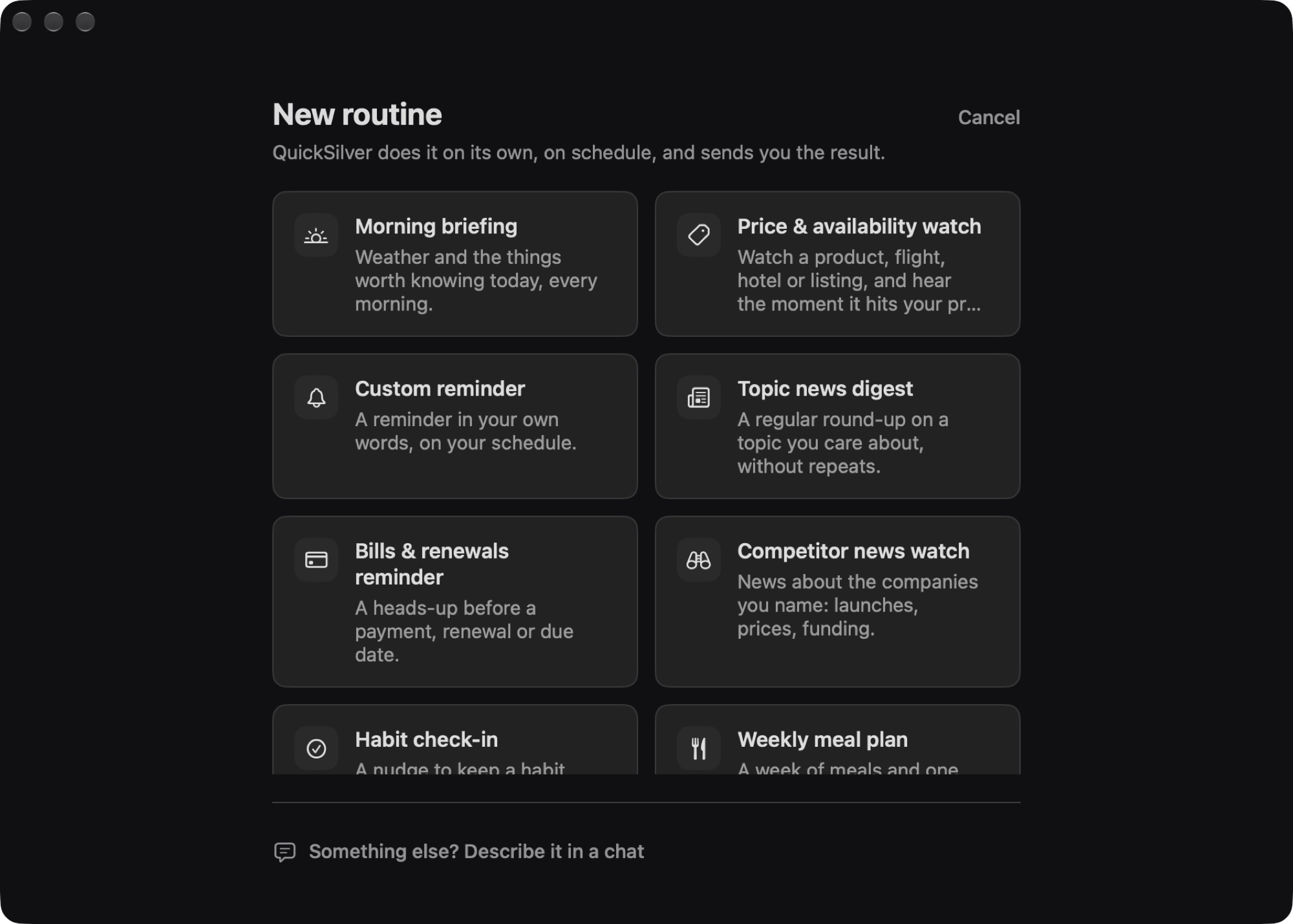
A second task shows the same gap. Watch a flight and tell me if it drops under $400: in Ollama you'd again add an agent with web access and a scheduler; in Kaairos it's the Price and availability watch routine, which checks on schedule and messages you when the price is reached. See the price watch example.
Privacy, side by side
Both keep local conversations on your Mac. What leaves depends on which features you use.
| What | Kaairos | Ollama |
|---|---|---|
| Chats with the local model | Stay on the Mac | Stay on the Mac (Ollama: “We don't see your prompts or data when you run locally”) |
| Chats with an online model | Go to the AI company you connected (Anthropic, OpenAI, Google…) | Cloud models go to Ollama, which says prompts are processed transiently, not stored or trained on, with hosting mainly in the US and partner providers bound to no logging and zero retention |
| Web searches | Go out to the web when a task needs them | Web search API calls go to ollama.com (only if an app uses them) |
| Messages to your phone | Through Telegram or WhatsApp | Not applicable (unless you add an agent that does this) |
| Model download | Once, during setup | Each model you pull, from Ollama's registry (Ollama logs download metadata) |
| Usage data | None: no analytics in the app; the engine's metrics sharing is off | Limited device and usage metadata, such as app version and request counts, per its privacy policy |
| Other network use | App updates and licence checks (Polar) | Automatic app updates |
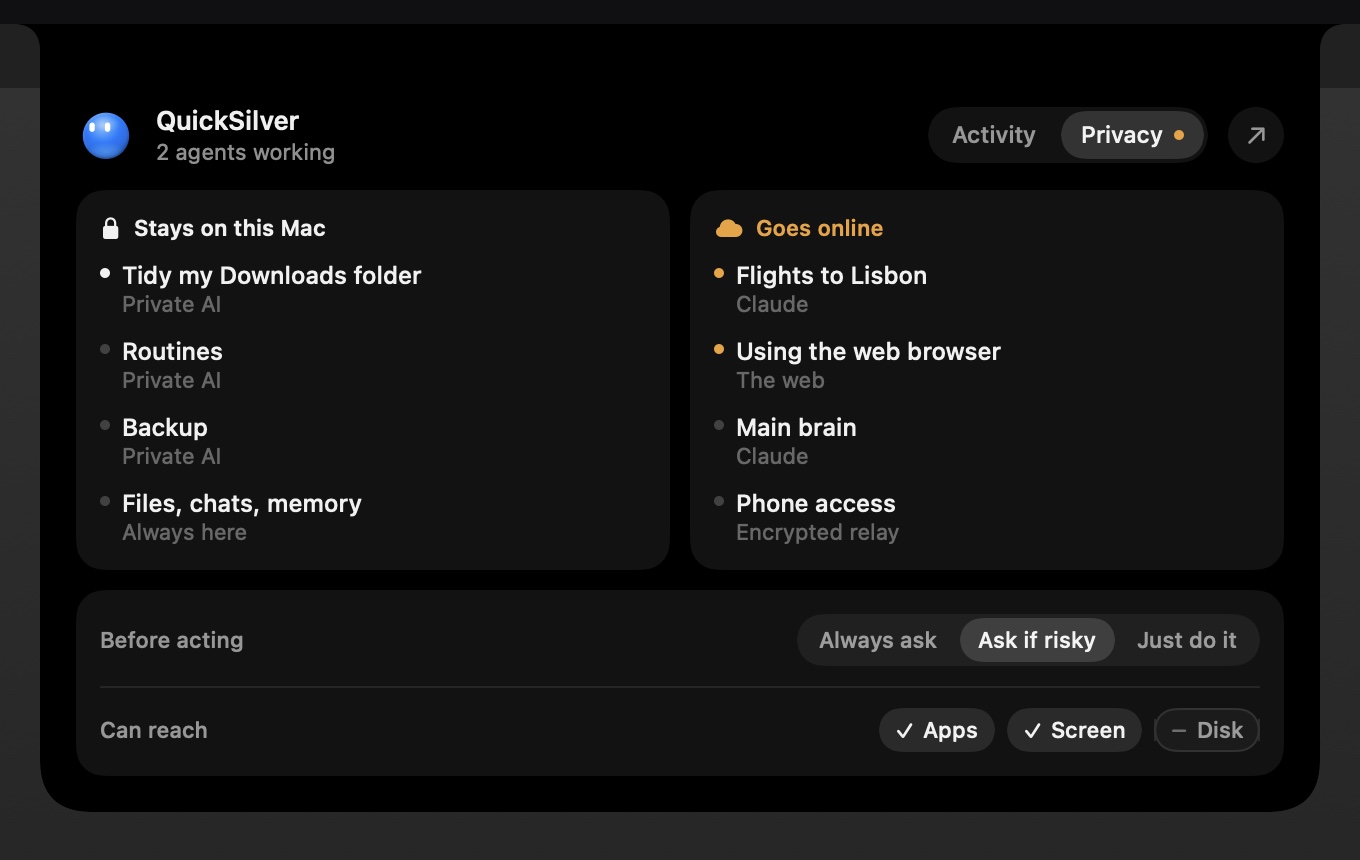
One practical point for Ollama users: Ollama's API has no sign-in. It is safe on its default address, which only the Mac itself can reach, but if you set OLLAMA_HOST=0.0.0.0 to use it from another device, anyone on that network can use it. Kaairos's engine only listens on the Mac, and phone access goes through Telegram or WhatsApp.
Hardware and cost
Memory
Ollama doesn't publish a single memory requirement, because it depends on the model you pull. Its library lists download sizes per tag: Gemma 4, for example, ranges from about 4.6 GB for its smallest version to about 20 GB for the 31B one. A common rule of thumb in third-party guides is to leave several GB beyond the model's size for macOS and your other apps, so 8 GB Macs suit only small models, 16 GB Macs handle mid-size ones, and 32 GB or more opens up the larger models. Ollama's MLX preview asks for a Mac with more than 32 GB of unified memory.
Kaairos needs 32 GB or more for its private AI, because agents need a capable model with a long context: the smallest model in its curated catalog is about 16.5 GB, and none fits 8, 16 or 24 GB Macs. On those Macs, Kaairos works with an AI account you connect (or your ChatGPT plan), and the memory guide explains the trade-offs.
Year-one cost
- Ollama, local only: $0.
- Ollama Pro for cloud models: 12 × $20 = $240, or $200 billed yearly. Includes $60 of usage credits a month.
- Kaairos with its private AI only: $29 + $0 = $29, for up to 3 Macs (US price).
- Kaairos plus an online AI: $29 plus whatever that company bills you for what you use, or your existing ChatGPT plan. The Work tab shows your AI cost over the last 30 days, and routines stay on the free private AI.
If you only want to chat with local models, Ollama costs nothing and Kaairos is unnecessary. The $29 pays for the agent: routines, phone, approvals and setup done for you.
Using them together
Kaairos doesn't run Ollama next to its own engine (one engine is simpler and uses less memory), but it can use models you already serve with Ollama, because Ollama speaks the OpenAI API.
- Make sure Ollama is running and the model is pulled, for example
ollama pull gemma4. For agent work, give it at least 64K context in Ollama's settings, as Ollama's docs recommend. - In Kaairos, open Settings › AI › Add AI… and choose Your Own Endpoint.
- Name:
Ollama. Address:http://localhost:11434/v1(Ollama's documented OpenAI-compatible address). API key: leave it empty or type anything; Ollama ignores it. Model: the exact name, such asgemma4. - Press Test Connection, then Add. Kaairos finds the models the server offers, and the new service sits alongside your other AIs in Settings › AI.
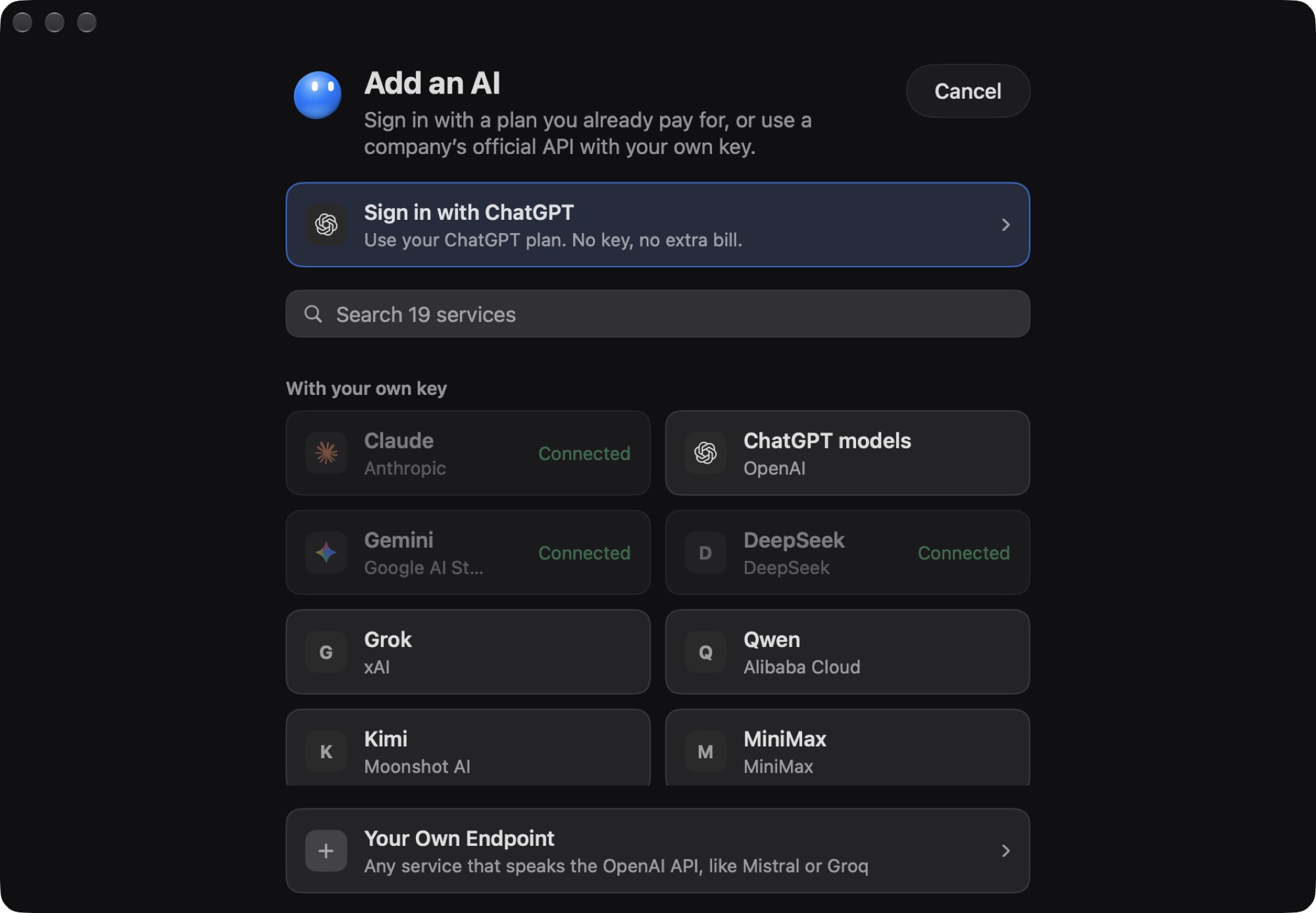
This is useful on a Mac with less than 32 GB, where Kaairos's own private AI doesn't fit but a smaller Ollama model does. Expect smaller models to be weaker at multi-step agent tasks than Kaairos's curated private AI or a large online model.
When to choose Ollama instead
- You're building software and need a local model behind an API, with Python and JavaScript libraries.
- You want to try many models, switch between sizes and quantizations, and compare them yourself.
- You want one model server that many apps share: your editor, Claude Code, OpenCode, a chat client and your own scripts.
- You use Windows or Linux, an Intel Mac, or a Mac on macOS 14.
- You want free and open source (MIT), with a large community.
- You want to run big open models without big hardware, through Ollama's cloud.
- You only need chat, and are happy to do the follow-up work yourself.
Switching between them
- Your models don't move. Kaairos downloads its own private AI and doesn't read
~/.ollama. You can keep Ollama and point Kaairos at it with Your Own Endpoint instead. - Chats don't carry over. Ollama's chat history stays in Ollama; Kaairos starts fresh and builds its own memory as you use it.
- Scripts and integrations stay with Ollama. Kaairos has no API for your own code, so anything calling
localhost:11434keeps using Ollama. - Disk space: if you keep both, you store two sets of model files. Kaairos's private AI is about 24 GB.
- Going the other way, removing Kaairos's
~/.kaairosfolder frees its space; nothing in Ollama is touched. See uninstalling.
Sources
- Ollama on macOS: macOS 14 or later, Apple silicon or Intel (CPU only), CLI link,
~/.ollama. - Ollama FAQ: local privacy statement, 127.0.0.1:11434 default,
OLLAMA_HOST, five-minute keep-alive, automatic updates, local-only mode. - Ollama context length: defaults by memory and the 64,000-token recommendation for agents.
- Ollama OpenAI compatibility:
http://localhost:11434/v1/, key ignored locally. - Ollama cloud and pricing: plans, credits, data handling.
- Ollama web search and announcement: free Ollama account and API key.
- Ollama tool calling: the calling app runs tools.
- Ollama integrations and Hermes Agent with Ollama:
ollama launch,hermes gateway setup. - Hermes Agent scheduled tasks: cron jobs run by the gateway daemon.
- Ollama's new app (July 2025) and MLX preview (March 2026).
- Gemma 4 in the Ollama library: download sizes per tag.
- Ollama privacy policy and Ollama on GitHub (MIT licence).
- Memory rules of thumb come from third-party guides (secondary), such as modelfit.io.
Fair questions
Is there an Ollama GUI for Mac?
Yes. Ollama has its own desktop app for macOS (and Windows) where you can pick a downloaded model and chat, drop in PDFs or images, and change the context length in Settings. Many third-party chat clients also connect to Ollama. If what you want is something that does tasks rather than a chat window, that's an agent such as Kaairos.
Is Ollama private?
For local models, yes: Ollama's docs say it doesn't see your prompts or data when you run locally. Cloud models and the web search API do send data to Ollama, and its privacy policy says it may collect limited usage metadata such as app version and request counts. You can turn cloud features off with OLLAMA_NO_CLOUD=1.
How much RAM do I need for Ollama on a Mac?
It depends on the model. Ollama's library lists sizes per tag, from under 5 GB for small models to about 20 GB for large ones, and you need room for macOS and other apps on top. Its own docs give a default context of 4K under 24 GiB of memory and 32K from 24 to 48 GiB.
Ollama vs LM Studio: which is better on a Mac?
Ollama is a background server with a CLI and API that other apps build on; LM Studio is a desktop app focused on browsing, downloading and chatting with models, which also serves an API. Many Mac users run both. See Kaairos vs LM Studio for the other side.
What's a good Ollama alternative for someone who isn't technical?
If you want to chat with local models, LM Studio, Jan or Msty are friendlier than a terminal. If you want an AI that does tasks for you with a private model and no setup, Kaairos is built for that, on Macs with 32 GB of memory or with an AI account on smaller ones.
Can Kaairos use my Ollama models?
Yes. Add Ollama in Settings › AI › Add AI… › Your Own Endpoint with the address http://localhost:11434/v1 and the model's name. Kaairos then treats it like any other AI you connect.
Does Ollama work offline?
Yes, once a model is downloaded, local chats work without internet. Cloud models and web search need a connection. Kaairos's private AI also works offline, though tasks that use the web obviously don't.
Can Ollama run an AI agent?
Ollama serves the model; the agent is a separate program. ollama launch can install and configure agents such as Hermes Agent and OpenClaw against your local model, which you then run and maintain from the terminal. Kaairos is Hermes Agent already packaged as a Mac app, with its own model.
Is Ollama free?
Yes, running models on your own hardware is free and unlimited, and the code is MIT-licensed. Cloud models are pay as you go, or included up to a credit amount in Pro ($20 a month), Max ($100 a month) and Team ($500 a month) plans.
Download and go
Your AI agent, already set up.
One button to set up. Its own private AI, free. Claude, ChatGPT or Gemini when you want more.
A Mac with Apple silicon (M1 or later), macOS 15 Sequoia or later. 14-day refund.