
Compare
Kaairos vs Hermes Desktop
Same engine, different jobs. Hermes Desktop is Nous Research's own free app for Hermes Agent, with every control in reach. Kaairos builds the same engine into a Mac app that sets itself up, brings its own private AI and hides the machinery.
The short answer
Choose Hermes Desktop if you want Nous Research's official, free, open-source app with every Hermes control, the newest engine, developer tools and Windows or Linux support. Choose Kaairos if you have an Apple silicon Mac and want the same engine already set up: its own private AI, routines from a gallery, phone pairing by QR code and careful defaults, for $29 once.
At a glance
Both apps run Hermes Agent, the MIT-licensed open-source agent by Nous Research. Kaairos ships Hermes Agent 0.23.1 inside the app. Kaairos is made by Stuvio and isn't affiliated with or endorsed by Nous Research; we're grateful users of their work.
What it is and who it's for
| Kaairos | Hermes Desktop | |
|---|---|---|
| Made by | Stuvio | Nous Research, the makers of Hermes Agent |
| What it is | A Mac app with the Hermes engine built in, set up for you, plus its own private AI | The official Hermes Agent app: “everything you can do from the terminal is available in the app” |
| Built for | People who want results and never want to see a config file | Hermes users and power users who want every setting, plus developers |
| Relationship to the Hermes command line | Separate: its own home in ~/.kaairos; never reads or changes ~/.hermes | Shared: the same config, keys, sessions, skills and memory as the CLI and gateway in ~/.hermes |
Setup
| Kaairos | Hermes Desktop | |
|---|---|---|
| Install | Download, drag to Applications, click Set it up | Download the macOS DMG and copy Hermes.app to Applications; or run hermes desktop after a command-line install |
| First launch | Starts its built-in engine, picks a private AI that fits your Mac's memory, downloads it and notifies you when it's ready. No questions | Can install the Hermes Agent runtime into your Hermes home; then you set up a provider or a local model in Settings |
| Terminal needed | No | Not on Mac or Windows; Linux installs through the terminal |
| Account or API key needed | No, on a Mac with 32 GB of memory or more; on smaller Macs you connect an AI account | No account for the app itself; you need a provider (an API key or a Nous Portal sign-in) or a local model you set up |
Models
| Kaairos | Hermes Desktop | |
|---|---|---|
| Local runtime | Hermes' own llama.cpp manager, run for you | The same llama.cpp manager, in Settings › Providers › Local Models |
| Picking a local model | Done for you from Hermes' curated catalog, sized to your Mac | You pick from the curated catalog with fit labels (fits, uses system RAM, too big), search Hugging Face, or link your own .gguf file |
| Memory for a local model | 32 GB or more (the smallest curated model is about 16.5 GB) | Depends on the model you choose; smaller models from Hugging Face can run on smaller Macs |
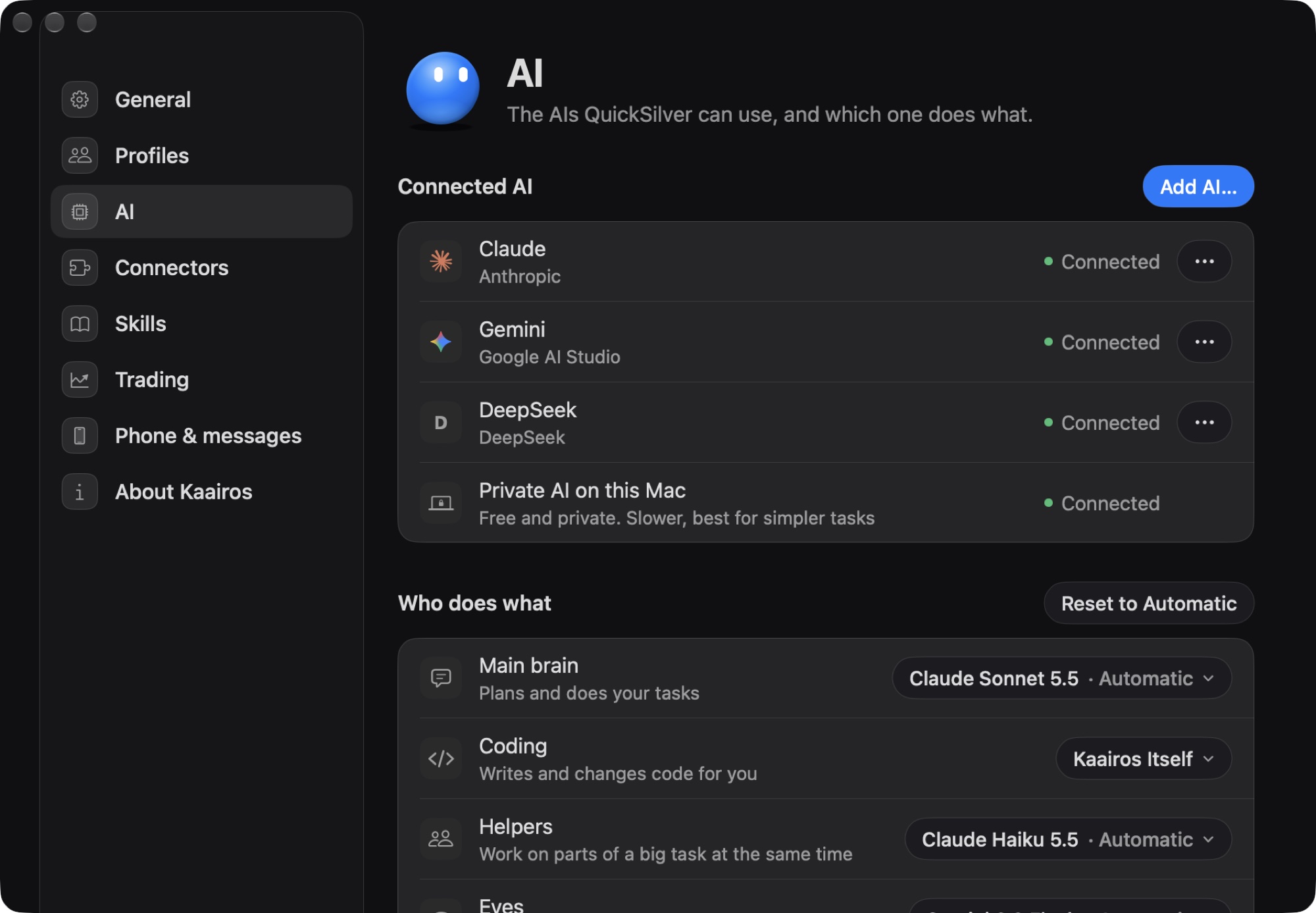
| Online AI | Sign in with ChatGPT, 19 services with your own key, or Your Own Endpoint (any OpenAI-compatible API) | Accounts and API keys per profile, Nous Portal (300+ models on one subscription), Grok sign-in, and custom endpoints with a choice of API mode |
| Who does what | Automatic: main brain, routines on the private AI, helpers, chores, eyes, private backup | You set the default model in Settings › Model and pick per chat; cron can have its own model |
What it can do
| Kaairos | Hermes Desktop | |
|---|---|---|
| Chat, web, browser, files | Yes, with steps shown in plain words (“Searching the web”) | Yes, with live tool activity, a file browser and an Artifacts gallery |
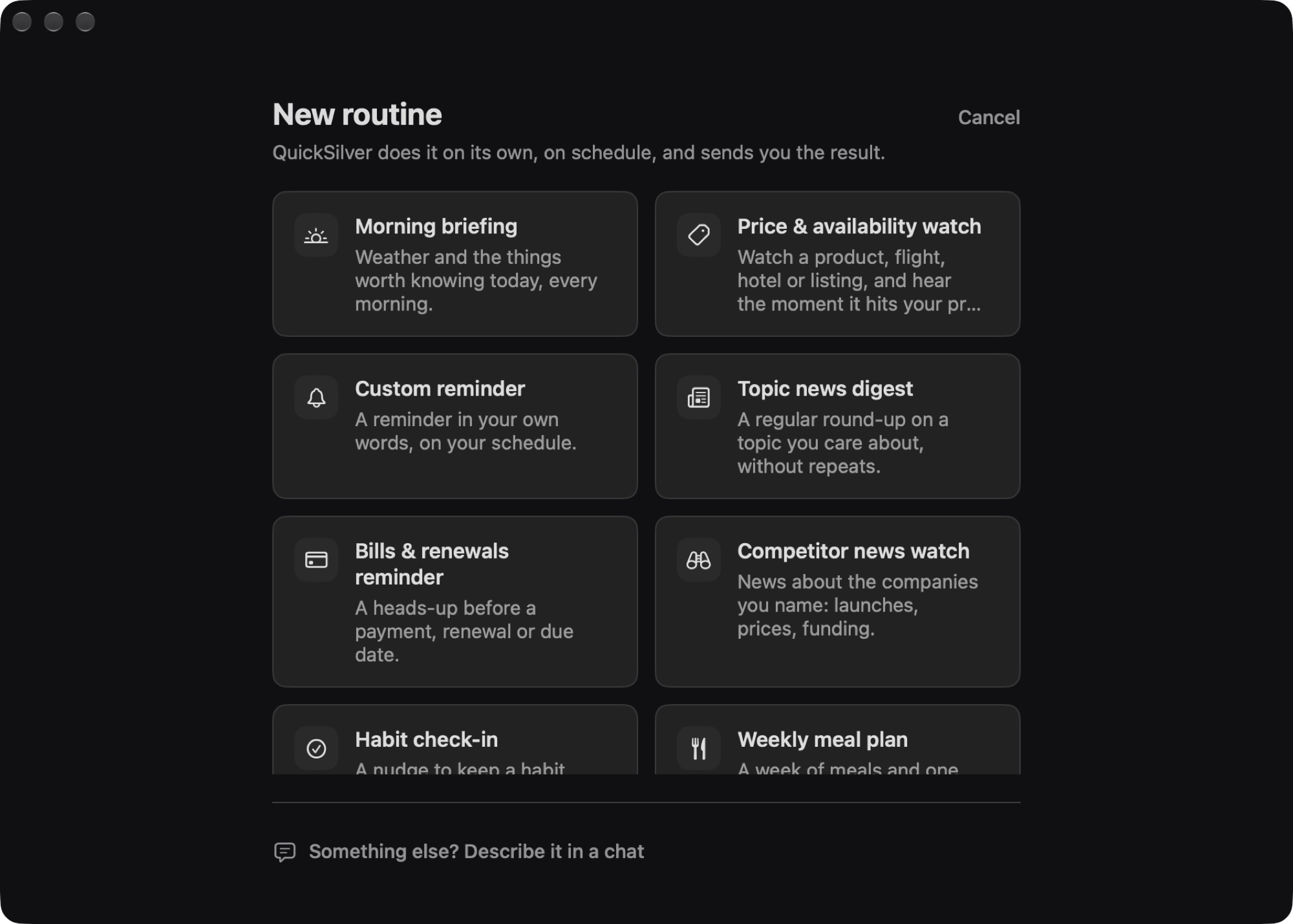
| Schedules | A gallery of 13 ready-made routines, or plain words; on/off switches in the Work tab | Cron jobs from chat (/cron add), plain words, the CLI or the Cron page; standard cron expressions too |
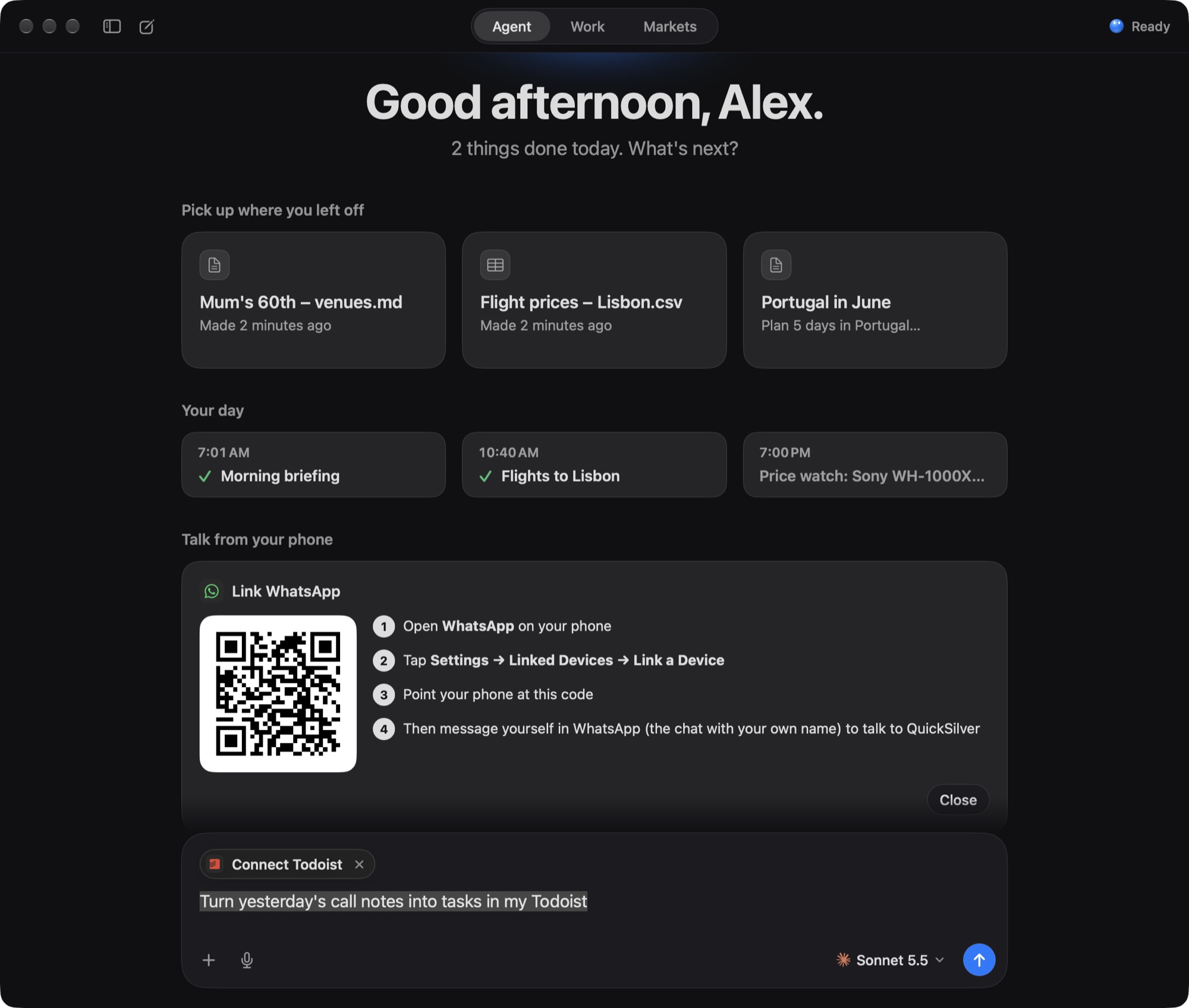
| Phone | Telegram and WhatsApp, linked from a QR code on the home screen | Telegram (QR setup), WhatsApp, Discord, Slack, Signal, email, SMS and more through the gateway |
| Voice | Dictation with macOS speech recognition; voice notes transcribed on the Mac | Voice conversations with read-aloud and a wake word option; voice notes transcribed locally or by Groq or OpenAI |
| Pictures and video | Finds photos and videos without a key and shows them in the reply; charts; generation with your own image service or Higgsfield | Image generation with a provider or Nous Portal's Tool Gateway |
| Connectors and skills | MCP connectors from an approved catalog; skills learned, built in or from Nous Research's catalog | Skills from the official set, skills.sh, GitHub taps and other hubs, with a security scanner; plugins and MCP |
| Developer tools | No | Git review, worktrees, a built-in terminal, multiple windows, a browser webapp mode, remote backends over SSH |
| At a glance | Notch panel (on Macs with a notch) or menu bar panel, and the Work tab with AI cost over 30 days | Status bar, floating HUD composer, Quick Entry hotkey, Memory Graph |
Safety
| Kaairos | Hermes Desktop | |
|---|---|---|
| Approvals | Three plain choices: Always ask first, Ask before anything risky (default), Just get it done | The same engine modes: smart (default), manual, off |
| Floor that can't be switched off | Hermes' hard-line blocklist, protected files and secret redaction stay on | The same hard-line blocklist; the docs say it has no override flag |
| Undo for files | Checkpoints switched on from the first launch | Checkpoints are off by default; turn them on in config.yaml or per session, then use /rollback |
Platforms, licence, price and support
| Kaairos | Hermes Desktop | |
|---|---|---|
| Platforms | Mac with Apple silicon, macOS 15 or later | macOS (Apple silicon), Windows 10/11, Linux |
| Engine version | Hermes Agent 0.23.1, updated deliberately with the app | Tracks Hermes releases (v0.23.1 on 9 November 2026) with one-click updates |
| Licence | Proprietary app on the MIT-licensed engine | Open source, MIT |
| Price | $29 at launch, then $80, once: 3 Macs, every 1.x update, 14-day refund | Free; Nous Portal is an optional paid subscription |
| Support | Email, support@stuvio.co | Docs, GitHub issues and the community |
What each is really for
Hermes Desktop: the whole of Hermes, in a window
Hermes Desktop is Nous Research's answer to “I don't want to live in a terminal”. Its stated aim is that everything you can do from the command line is available in the app, and it shares one home folder with the CLI, so a provider, skill or session you set up in one appears in the other. That makes it the natural choice for anyone who already uses Hermes.
It also reaches well past chat. There's a file browser, a git review pane with worktrees, a terminal in the sidebar, tabs and multiple windows, a floating HUD, plugins, a browser version of the workspace, and connections to remote Hermes backends. Local models, cron, profiles, messaging and memory each get a page. The trade is that you make the choices: which provider, which model, which tools, which approvals mode.
Kaairos: Hermes for people who never want to configure it
Kaairos makes those choices for you and hides most of the machinery. One button starts the engine, picks an open-weight model that fits your Mac from Hermes' curated catalog, downloads it and writes safe defaults: approvals on smart, checkpoints on, the engine kept off your PATH and out of self-updates. Steps appear in plain words, not tool names.
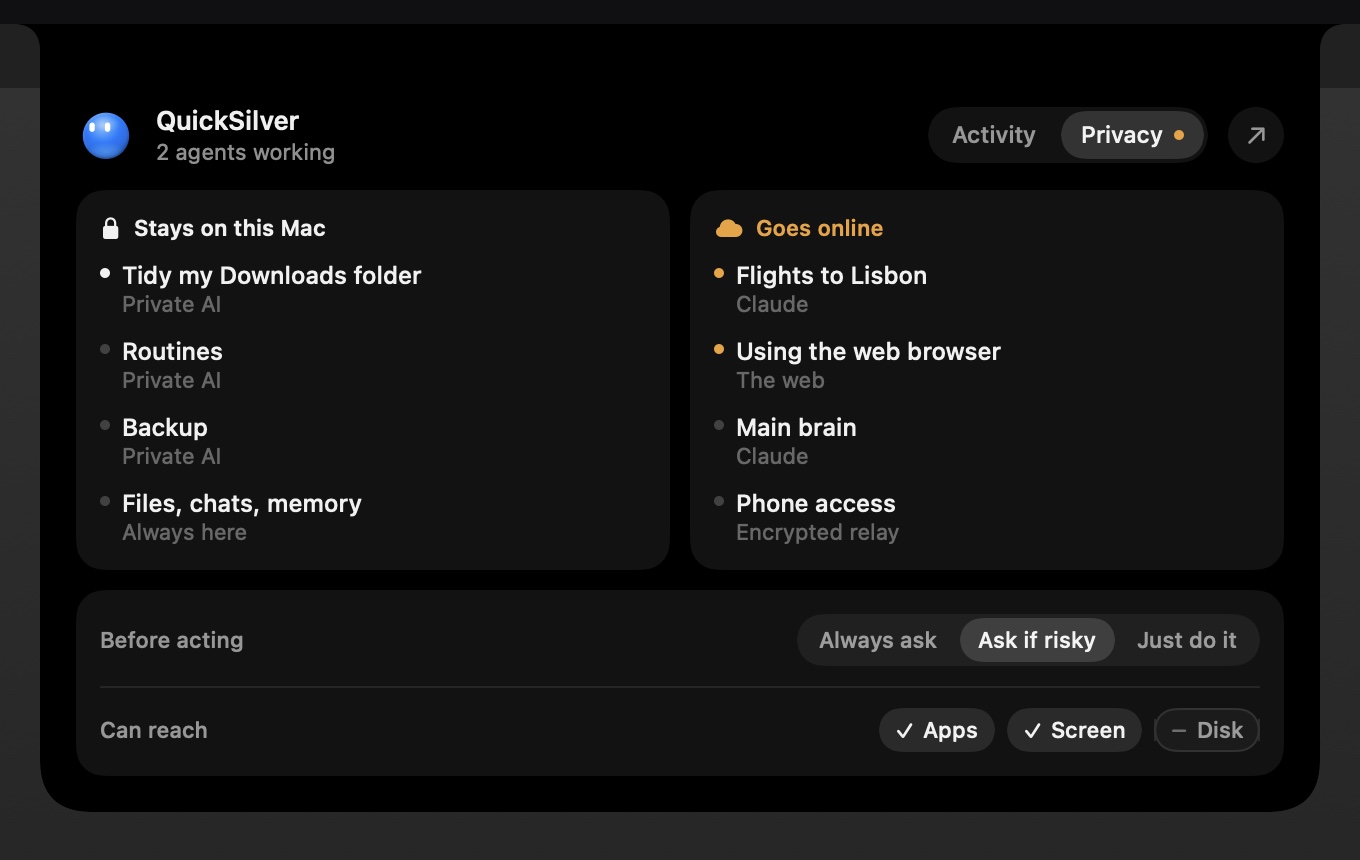
On top of the engine it adds hybrid routing (conversations on the best AI you connect, routines on the private AI, the private AI as backup), a routine gallery with short forms, phone pairing from a QR code on the home screen, replies with photos, video and charts, and a notch or menu bar panel that shows what's running and what stays on the Mac. It's narrower on purpose: one platform, no developer tools.
The same job in both
Task: every weekday at 8, send a short briefing to my phone on Telegram: the weather and the news on two topics.
In Hermes Desktop
- Install the DMG and open Hermes Desktop. Let it install the Hermes runtime if it offers.
- Give it a brain: in Settings › Providers add an API key or sign in to Nous Portal, or open Local Models, install the runtime, pick a model that fits, click Download, then Use.
- Open Messaging › Telegram and click Create with QR. Scan the code in Telegram; Hermes creates the bot, detects your user ID and restarts the gateway.
- Create the job: ask in chat, or type
/cron addwith a schedule and a prompt. For weekdays, use a cron expression such as0 8 * * 1-5, and set the delivery to Telegram. - Leave the gateway running. Cron jobs are run by the gateway, which checks for due jobs every 60 seconds; Desktop starts it and it keeps running after you quit the app.
In Kaairos
- Click Set it up on first launch and wait for the private AI to download.
- On the home screen, under Talk from your phone, scan the Telegram code. Kaairos creates your personal bot.
- Ask in plain words (below), or pick Morning briefing in the Work tab's routine gallery, fill in the blanks and choose Telegram under Send the result to.
- Turn on Keep working when closed in the menu bar panel if you want it to run with the app closed. The Mac must be on and awake.
Every weekday at 8, send me a briefing on Telegram: Lisbon weather, and news about electric bikes and the Lisbon housing market.
Done. Your briefing runs Monday to Friday at 8:00 AM and goes to Telegram. It uses the private AI on this Mac, so it costs nothing to run. You can pause it any time from the Work tab.
Both get you to the same place, because the same engine runs the job. Hermes Desktop gives you more control over the schedule syntax, the delivery target and the model per job. Kaairos takes fewer decisions and picks the private AI for routines on its own.
Privacy, side by side
With the same engine underneath, privacy mostly depends on which AI each app sends your words to. Here's what leaves the Mac, and to whom.
| What | Kaairos | Hermes Desktop |
|---|---|---|
| Your chats | Stay on the Mac with the private AI; go to an online AI only if you connect one (to that company) | Go to the provider you set up (an AI company or Nous Portal), or stay on the Mac with a local model |
| Scheduled jobs | The private AI by default, so what they read stays on the Mac | The cron model, or your main model if none is set |
| Web searches and pages | Go to the web | Go to the web, or through Nous Portal's Tool Gateway if you enable it |
| Phone messages | Through Telegram or WhatsApp | Through whichever messaging platforms you connect |
| Usage statistics | The engine's shared metrics are switched off; no analytics in the app | Diagnostic uploads need your explicit consent, redact secrets and are deleted after 14 days (Nous docs) |
| Other traffic | The private AI download, app updates, licence checks with Polar | Model downloads, app and engine update checks |
| Where data lives | ~/.kaairos and your Kaairos folder | ~/.hermes (shared with the CLI) |
Hardware and cost
Memory
Both use Hermes' llama.cpp manager, which guarantees a context of at least 64K tokens and unloads an idle model after 15 minutes. Kaairos only offers models from the curated catalog that fit fully in memory, and the smallest is about 16.5 GB, so its private AI needs 32 GB of memory or more. On 8, 16 or 24 GB Macs, Kaairos works with an online AI instead.
Hermes Desktop is more flexible here: you can search Hugging Face or link your own .gguf file, so a 16 GB Mac can run a smaller model. Hermes' own Mac guide calls a 9B model the sweet spot for 8–16 GB machines and says 27B and 35B models want 32 GB or more. Expect smaller models to be weaker at multi-step agent work.
Year one
- Local model only: Hermes Desktop $0. Kaairos $29 + $0 = $29 (on a 32 GB Mac; US price).
- Your own API key (for example Claude): both pay the AI company for what they use, at the same rates. Kaairos adds $29 once; routines on the private AI don't add to the bill. Kaairos's Work tab shows the AI cost over 30 days.
- Nous Portal: an optional subscription for Hermes Desktop; Nous's docs don't list its prices, so check portal.nousresearch.com.
- Year two: Kaairos $0 for every 1.x update; Hermes Desktop stays free.
Using them together
You can install both. Kaairos keeps everything in ~/.kaairos, never touches ~/.hermes or your shell profile, and its engine doesn't appear in your Terminal, so your Hermes Desktop setup stays exactly as it was. A few practical notes:
- They don't share anything: keys, sessions, skills, memory and schedules are separate in each app.
- Give each its own Telegram bot. Kaairos creates its own when you scan its code.
- Two engines with two local models loaded can need twice the memory. Idle models unload after 15 minutes in both.
- Kaairos doesn't use Hermes Desktop's models. If you run a model behind an OpenAI-compatible server, Kaairos can add it under Settings › AI › Add AI… › Your Own Endpoint.
When to choose Hermes Desktop instead
- You already use Hermes from the command line and want the same config, sessions and skills in a window.
- You want the newest Hermes features the week they ship: Kaairos pins an engine version and updates it with the app.
- You want to pick your own local model, including smaller ones for a 16 GB Mac, or link a
.gguffile. - You want developer tools: git review, worktrees, a terminal, plugins, remote backends over SSH.
- You want Discord, Slack, Signal, email or SMS as well as Telegram and WhatsApp.
- You use Windows or Linux, or a Mac on a macOS version older than 15 (Kaairos needs macOS 15; Hermes Desktop's download page says macOS 12 or later), or you want a free, fully open-source app.
- You want Nous Portal: many models and managed tools on one subscription.
Switching between them
From Hermes Desktop to Kaairos: Kaairos doesn't import ~/.hermes, so nothing moves by itself and nothing is changed. Add your AI accounts in Settings › AI, scan the Telegram or WhatsApp code again, and recreate your schedules from the gallery or in plain words. Official Nous skills can be added in Settings › Skills; memory and past sessions start fresh.
From Kaairos to Hermes Desktop: files Kaairos made are ordinary files in your Kaairos folder and stay where they are. Set up a provider or a local model, link your messaging apps and recreate your jobs. To remove Kaairos fully, turn off Keep working when closed first, then delete the app and ~/.kaairos.
Sources
- Hermes Desktop user guide: platforms, shared config, providers, Local Models, features, gateway, updates, diagnostics
- Hermes Desktop download page: MIT licence, free, macOS 12 or later, Windows 10/11, Linux, Nous Portal extras
- Hermes installation docs: DMG install,
hermes desktop, Apple silicon only on macOS, file locations - Hermes local models: llama.cpp manager, fit labels, 64K context, 15-minute unload, Hugging Face search
- Run local LLMs on Mac (Hermes guide): model size tiers by memory
- Hermes scheduled tasks:
/cron add, delivery targets, gateway runs jobs - Hermes security: approval modes, hard-line blocklist
- Hermes checkpoints and rollback: off by default,
/rollback - Hermes Telegram setup: Create with QR, BotFather, other platforms, voice transcription
- Hermes skills: hub sources and security scanning
- Nous Portal: subscription, Tool Gateway, models
- Hermes Agent releases on GitHub: v0.23.1 (9 November 2026), Desktop macOS requirement in v0.23.0 notes
Fair questions
Is Kaairos official Hermes software?
No. Kaairos is made by Stuvio and built on the open-source Hermes Agent, which is MIT-licensed. It isn't affiliated with or endorsed by Nous Research. Hermes Desktop is the official app from Nous.
Will Kaairos change my existing Hermes install?
No. Kaairos keeps everything in its own folder, ~/.kaairos, never touches ~/.hermes or your shell profile, and its engine isn't added to your Terminal's PATH. Your Hermes CLI and Hermes Desktop keep working as before.
Is Hermes Desktop free?
Yes. Nous Research describes it as the open-source Hermes Agent under an MIT licence, free to download and use. You may still pay for models: an AI company's API, or an optional Nous Portal subscription. A local model costs nothing to run.
Does Hermes Desktop need an API key?
Not for the app itself, but it needs a brain. You can add an API key, sign in to Nous Portal, or set up a local model in Settings › Providers › Local Models. Kaairos skips that step by downloading its own private AI on Macs with 32 GB of memory or more.
Can I run Hermes Agent on a Mac with 16 GB of memory?
With an online AI, yes, in either app. For a local model, Hermes Desktop lets you choose a smaller model from Hugging Face or your own .gguf file; Hermes' Mac guide suggests a 9B model for 8–16 GB machines. Kaairos's private AI needs 32 GB, so on a 16 GB Mac it uses an AI account instead.
Do schedules keep running when I close the app?
In Hermes Desktop, cron jobs run in the gateway, which keeps running after you quit the app. In Kaairos, routines run while the app is open; turn on Keep working when closed and they run with the app closed too. Either way the Mac has to be on and awake.
Which one gets new Hermes features first?
Hermes Desktop: it follows Hermes releases and offers one-click updates. Kaairos ships a pinned engine version and updates it with the app after testing, which trades the newest features for predictability.
Can I use Nous Portal in Kaairos?
Kaairos doesn't offer a Nous Portal sign-in. It supports Sign in with ChatGPT, 19 services with your own key, and Your Own Endpoint for any service that speaks the OpenAI API.
Is one safer than the other?
They share the same safety machinery: approval modes and a hard-line blocklist that can't be switched off. Kaairos turns on file checkpoints from the first launch and explains approvals in plain words; in Hermes Desktop checkpoints are off unless you enable them.
Download and go
Your AI agent, already set up.
One button to set up. Its own private AI, free. Claude, ChatGPT or Gemini when you want more.
A Mac with Apple silicon (M1 or later), macOS 15 Sequoia or later. 14-day refund.