
Compare
Kaairos vs OpenClaw
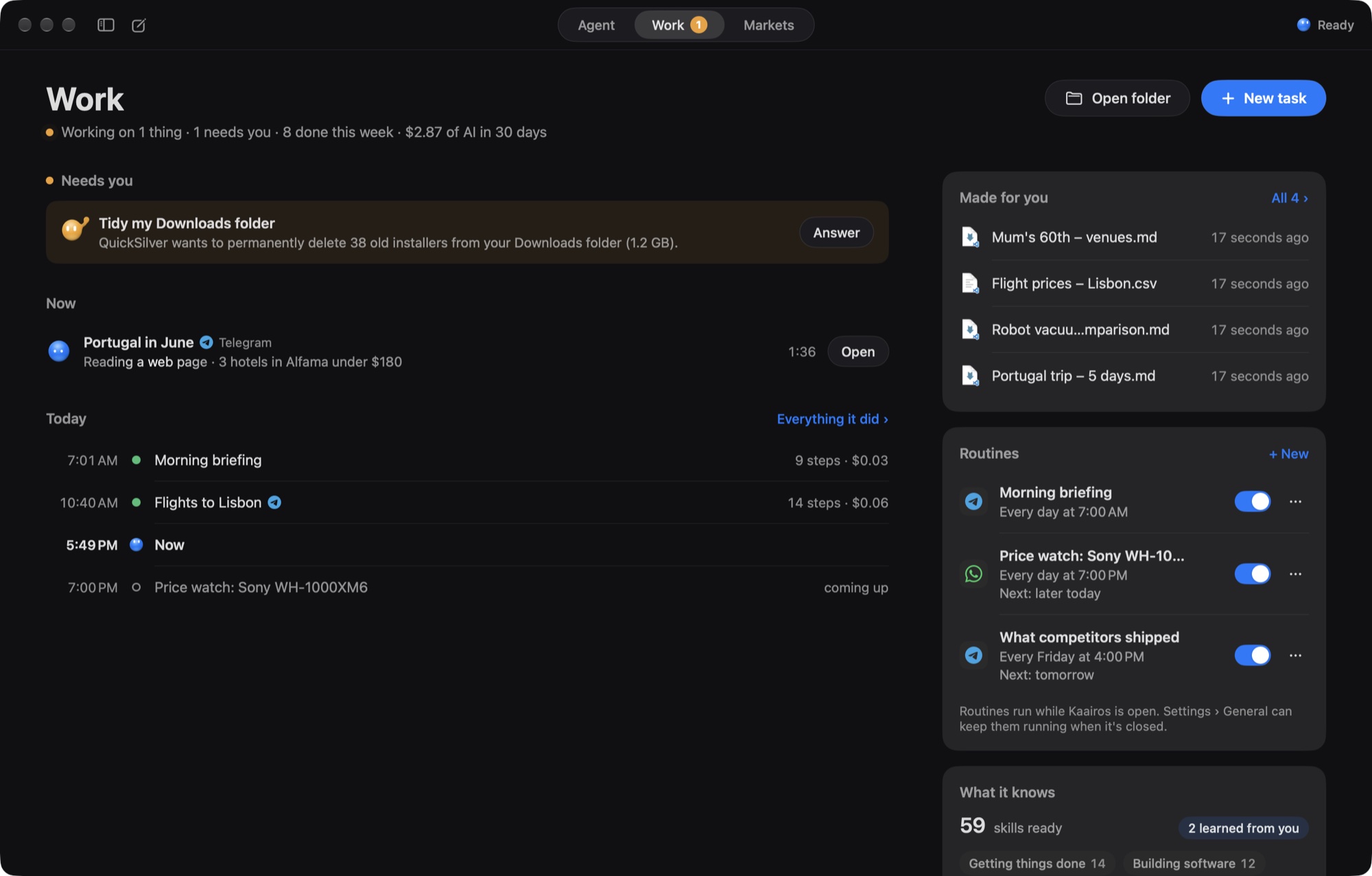
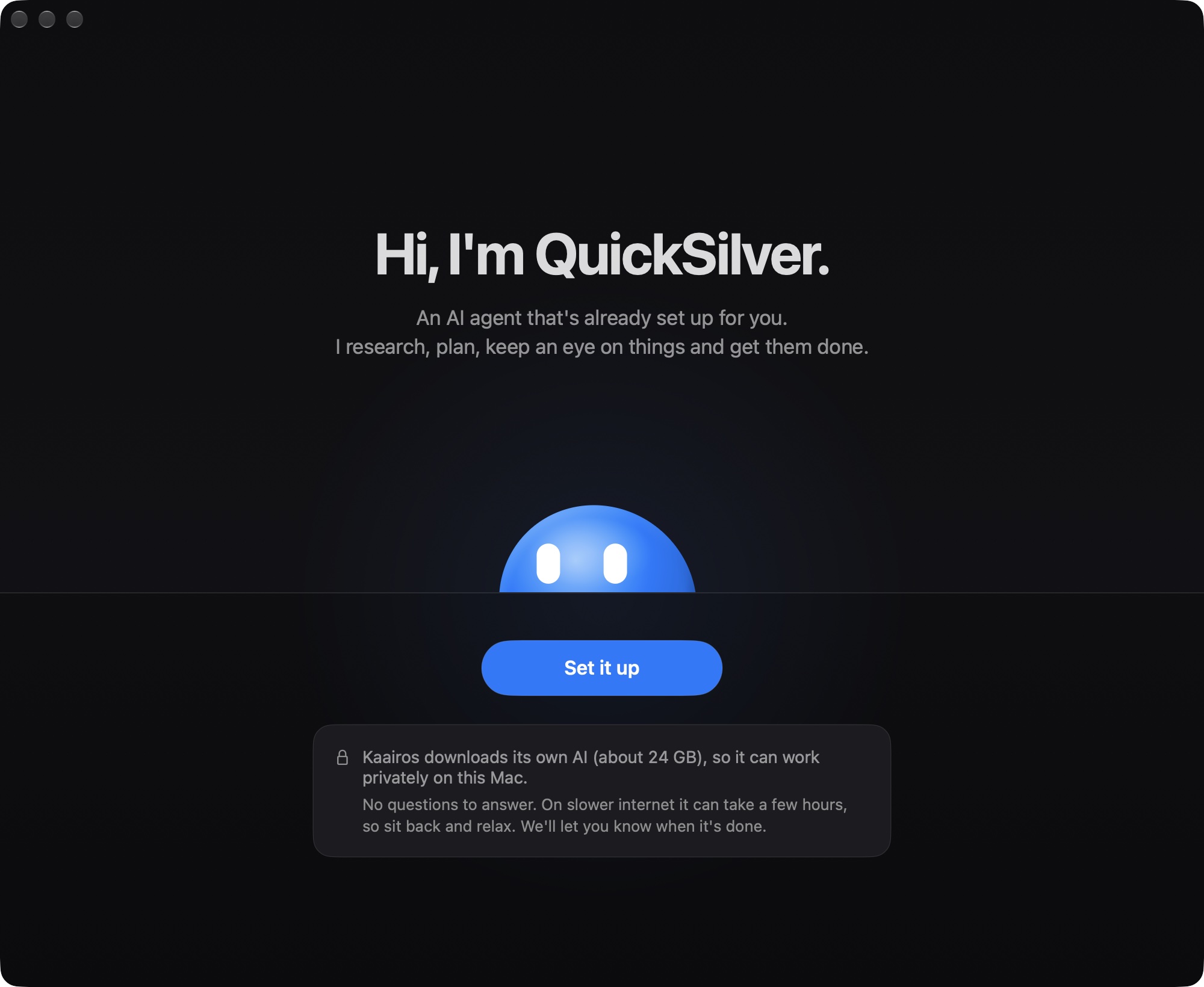
Both are personal AI agents that act for you and answer on your phone. OpenClaw is a large open-source project with a gateway you run and configure, on almost any computer. Kaairos is a Mac app that arrives set up, with its own private AI and safe defaults.
The short answer
Choose OpenClaw if you want the largest open-source agent ecosystem, run Windows, Linux or an Intel Mac, want 20+ chat channels, and are comfortable with a gateway, a CLI and tuning security yourself. Choose Kaairos if you want an agent on an Apple silicon Mac that works after one button, brings its own private AI, and asks before anything risky by default.
At a glance
What it is and who it's for
| Kaairos | OpenClaw | |
|---|---|---|
| What it is | A finished Mac app: an AI agent (QuickSilver) that's already set up, built on the open-source Hermes Agent by Nous Research | An open-source personal assistant built around a Gateway you run, with a CLI, a dashboard and companion apps |
| Made by | Stuvio | The OpenClaw project and its contributors |
| Who it's for | People who want results and will never open a terminal | People who want full control: models, channels, plugins, sandboxes, remote gateways |
| Shape | One app, one person, one Mac | One Gateway per trust boundary; can serve one person or a team who trust each other; can run on a server you reach from your Mac |
Setup
| Kaairos | OpenClaw | |
|---|---|---|
| Install | Download, open, press Set it up | A macOS app (DMG) that prepares a bundled runtime and starts a Gateway, or curl -fsSL https://openclaw.ai/install.sh | bash, then openclaw onboard --install-daemon |
| Terminal needed | No | Not for the macOS app's guided setup; yes for the CLI route, channel plugins, pairing approvals and most advanced settings |
| Account or API key needed | No: its own AI runs on the Mac (32 GB of memory or more); on smaller Macs, add an AI account | A model is needed: it detects a Codex or Claude login, an OpenAI or Anthropic key, or a model loaded in Ollama, LM Studio or llama.cpp |
| Where settings live | In the app's Settings, never a file | The dashboard, the CLI and config files under ~/.openclaw |
Models
| Kaairos | OpenClaw | |
|---|---|---|
| Local AI | Built in: an open-weight model picked for your Mac's memory, run by llama.cpp, downloaded during setup | Optional: a managed llama.cpp server via a plugin, or your own Ollama, LM Studio, vLLM, MLX or other OpenAI-style server |
| Choosing a model | Done for you; switch per chat with the model picker | You choose providers, models and fallbacks |
| Online AI | Optional: Sign in with ChatGPT, 19 services with your own key (Claude, OpenAI, Gemini, OpenRouter, DeepSeek and more), or Your Own Endpoint | Many hosted providers, including ChatGPT/Codex subscription sign-in and API keys |
| Mixing local and online | Automatic: conversations on the online AI, routines on the private AI, the private AI as backup | Configurable: for example a hosted primary model with a local fallback |
What it can do
| Kaairos | OpenClaw | |
|---|---|---|
| Chat, web research, browsing | Yes | Yes |
| Files and commands | Files in its Kaairos folder; commands with approval | Yes, on the host by default; can be sandboxed |
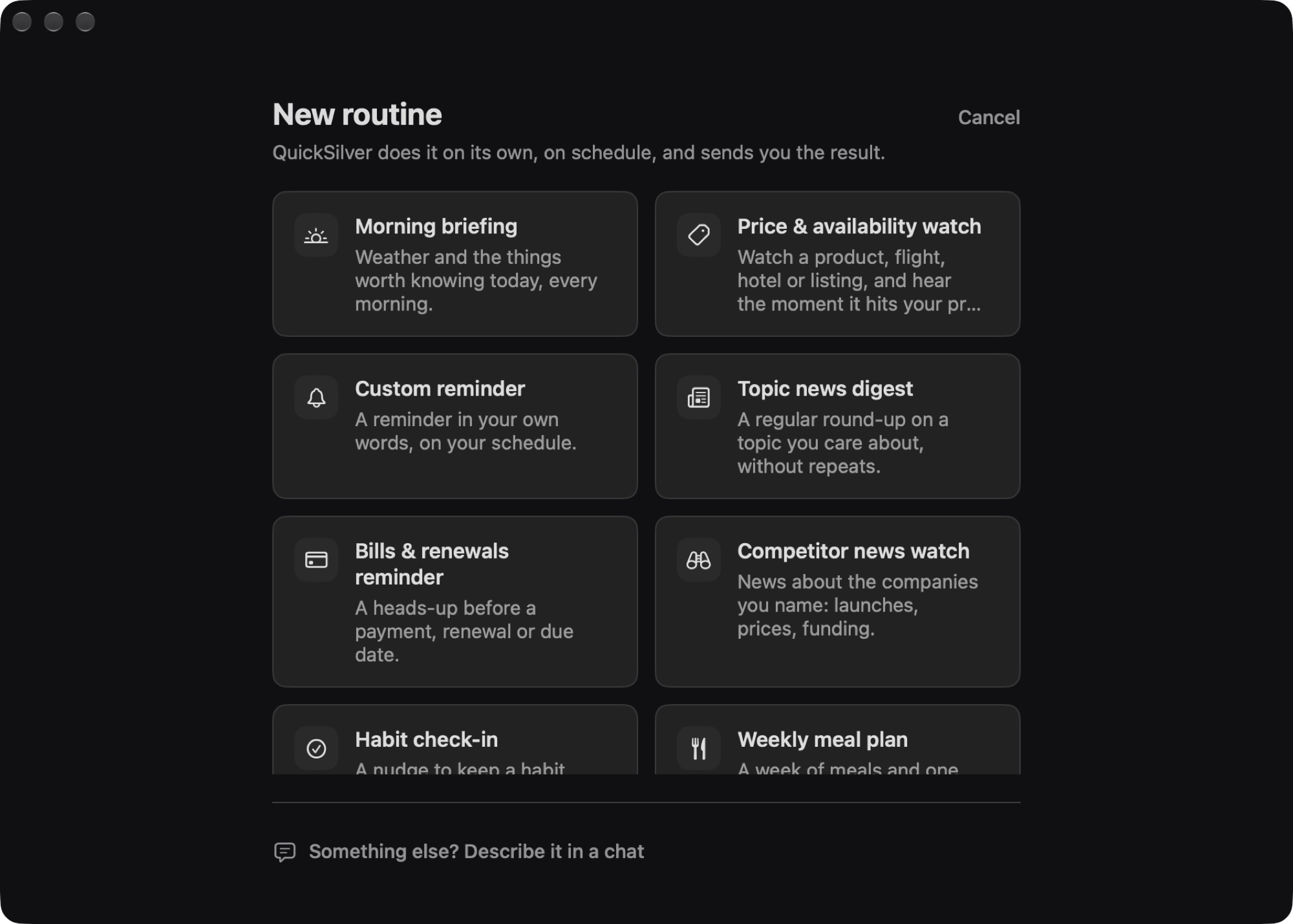
| Scheduled jobs | Routines in plain words or from a gallery of 13, with on/off switches | Automations (openclaw automations, alias openclaw cron) with cron schedules and channel delivery |
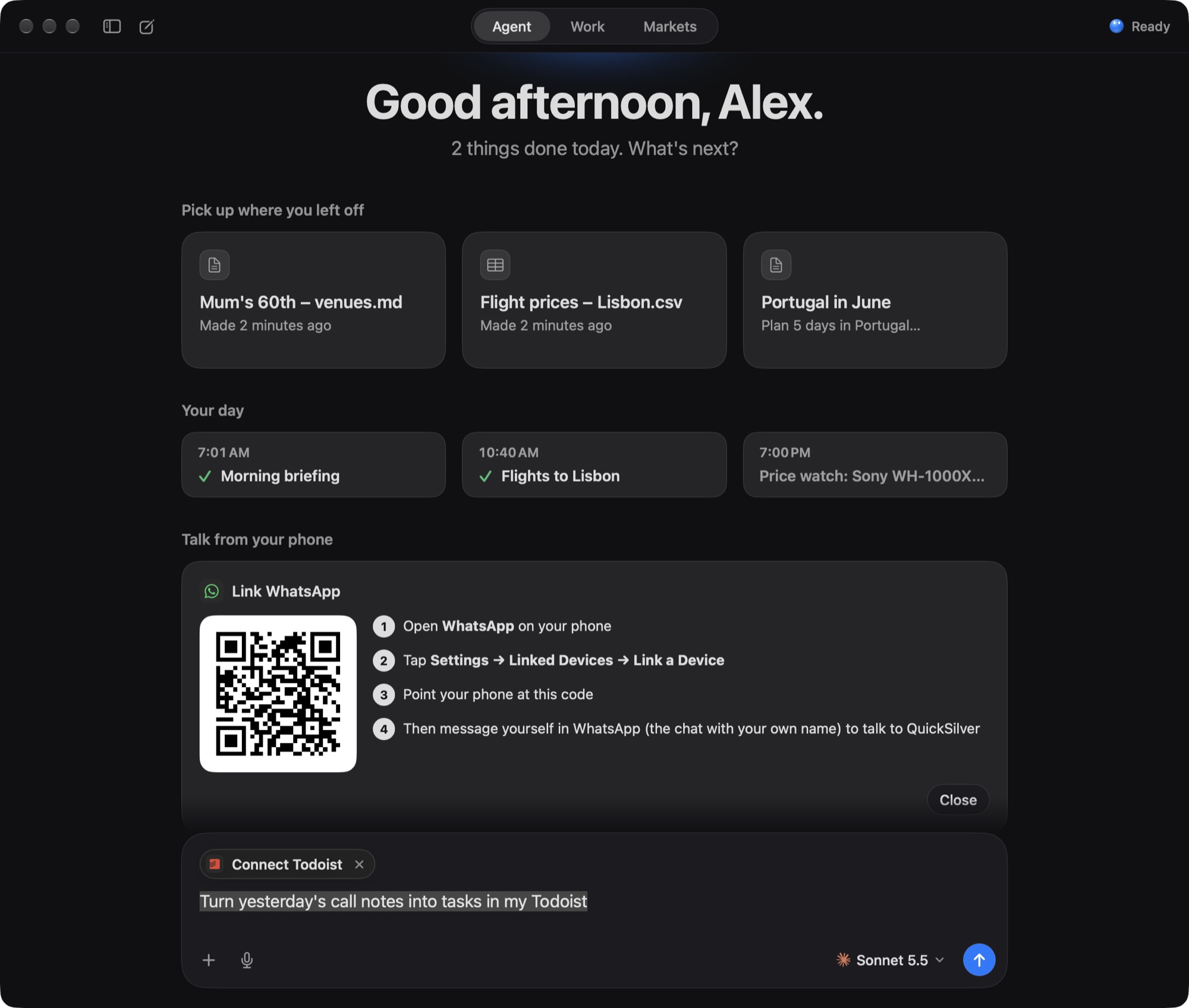
| Phone | Telegram and WhatsApp, linked by scanning a code | 20+ channels including Telegram, WhatsApp, iMessage, Signal, Slack, Discord, Teams and Google Chat |
| Voice | Dictation in the app; voice notes transcribed on the Mac | Voice input, Voice Wake and push-to-talk in the macOS app (macOS 26.2+) |
| Screen and app control | Yes, when a task needs it: it can look at the screen and click and type in other apps once you allow it in macOS | Yes, through the Mac node (screen capture, camera, location, computer control) with macOS permissions |
| Pictures and video | Finds photos and videos without a key, draws charts; generation with an image service or Higgsfield | Via plugins and providers you add |
| Skills and connectors | Skills it learns, Nous Research's catalog, MCP connectors from an approved list | Skills and plugins from ClawHub, skills.sh, Git or local folders |
Safety
| Kaairos | OpenClaw | |
|---|---|---|
| Default for risky actions | Asks first: reads freely, asks before deleting, buying or sending | Per its exec-approvals docs, host commands run with security full and ask off, so no prompts until you tighten it |
| Sandbox | No container; relies on approvals, a hard-line blocklist, protected files and checkpoints | Off by default; Docker, Podman, SSH and other backends available |
| Undo | Changed files are snapshotted and can be undone | Not covered in the docs we checked |
| Third-party add-ons | Connectors from an approved catalog; changes need approval | Docs say to treat third-party skills as untrusted code and read them first; openclaw skills verify checks ClawHub skills |
| Checking your setup | No audit tool; safe defaults are written on first launch, and the current level shows in Settings › General | openclaw security audit reports drift from safe defaults |
Privacy
| Kaairos | OpenClaw | |
|---|---|---|
| Works with nothing sent to an AI company | Yes, on its private AI (32 GB Macs) | Yes, if you use a local model |
| Telemetry | None in the app; the engine's shared metrics are off | Not stated in the docs we checked |
| Where data lives | ~/.kaairos and the Kaairos folder | ~/.openclaw (state, logs), your workspace files |
Platforms, price and support
| Kaairos | OpenClaw | |
|---|---|---|
| Platforms | Mac with Apple silicon, macOS 15 or later | macOS, Windows, Linux (CLI and Gateway); native apps listed for macOS, iOS, Android, Windows and Linux |
| macOS app requirement | macOS 15 Sequoia or later | macOS 26.2 Tahoe or later for OpenClaw.app; the CLI needs Node 24.16+ or 26.1+ |
| Intel Macs | No | Yes (Intel and Universal builds) |
| Licence | Proprietary app; the Hermes engine inside is MIT | MIT, open source |
| Price | $29 at launch, then $80, once, for 3 Macs, every 1.x update; 14-day refund | Free; you pay for any hosted models |
| Updates | Through the app | openclaw update, or the desktop app's updater |
| Support | Email from the maker (support@stuvio.co) | Community, docs and GitHub |
What each is really for
OpenClaw: an agent platform you own and shape
OpenClaw is built around a Gateway: a long-running process that owns your chat channels, sessions, tools and scheduled jobs. Your Mac can run it locally (kept alive by launchd) or control one running on another machine over SSH, your LAN or a Tailnet. Everything is swappable: models and agent harnesses are plugins, skills come from a public registry, and nodes add screens, cameras and device actions on other computers and phones.
That design is why it reaches so many places, and why it asks more of you. Its docs are frank: one Gateway is one trust boundary, inbound messages are untrusted input, sandboxing is off by default, and you should run openclaw security audit and read the hardening guides before exposing anything. People who enjoy that control get a very capable system. People who don't tend to get stuck in configuration, or run it with defaults that are looser than they realise.
Kaairos: an agent that's finished before you open it
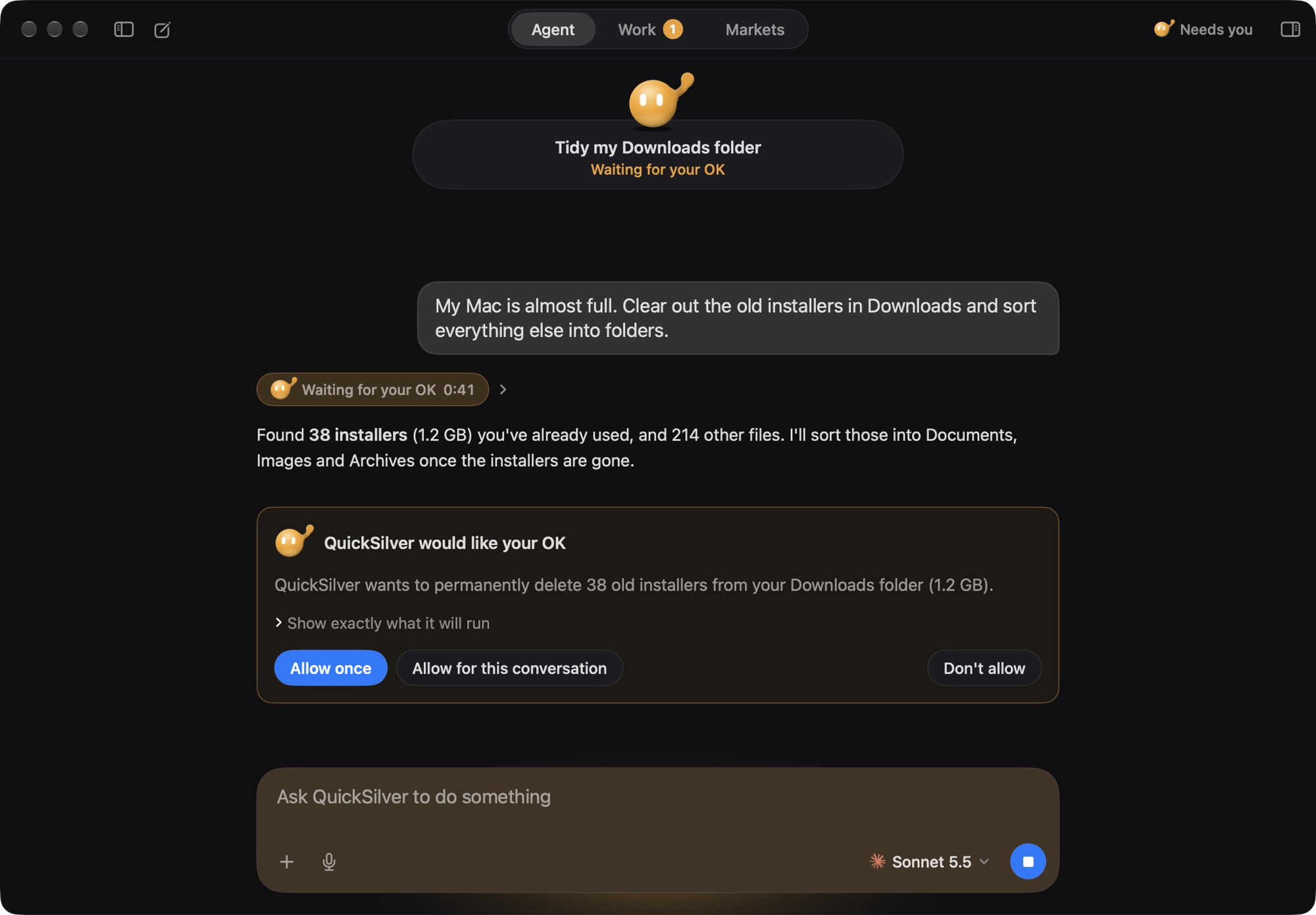
Kaairos makes the choices for you. The engine (Hermes Agent 0.23.1) is inside the app, the private AI is chosen to fit your Mac's memory and downloaded during setup, and safe defaults are written on first launch: ask before anything risky, snapshots of changed files, no telemetry, the engine kept out of your Terminal. You can change things later in Settings, but never in a file.
It is deliberately narrower: one platform, two phone channels, no remote gateway, no plugin marketplace. In return it fits people who want a morning briefing, a price watch or a trip researched, and who would rather not learn what a gateway is.
The same job in both
The job: every weekday at 8, send me a short briefing on Telegram: the weather where I am and three headlines on topics I care about.
In OpenClaw
- Install the macOS app (macOS 26.2 or later) or run the install script, then finish onboarding so a model is connected: a Codex or Claude login, an API key, or a model loaded in Ollama, LM Studio or llama.cpp.
- Create a Telegram bot with BotFather and give OpenClaw its token (
botTokenin the Telegram channel config). - Start the Gateway (
openclaw gateway), message your bot, and approve yourself: Telegram DMs default to pairing, so runopenclaw pairing approve telegram <code>. - Ask for the briefing in chat, or add an automation from the CLI. Built from the flags in its CLI docs, that looks like
openclaw automations add --name "Weekday brief" --cron "0 8 * * 1-5" --tz Europe/Lisbon --message "Weather and three headlines" --announce --channel telegram --to <chat id>. Checkopenclaw automations add --helpfor your version. - Leave the Gateway running on a machine that's awake at 8 (locally, launchd keeps it alive).
It takes some comfort with a terminal and with chat IDs. In return you get things Kaairos can't do: the same job could post to Slack, Signal or iMessage instead, or run on a small server so your laptop can sleep.
In Kaairos
- Open the Work tab and scan the Telegram code with your phone. Kaairos creates a personal bot for you; there are no BotFather steps.
- Ask in plain words, or pick Morning briefing in the routines gallery, fill in the blank and choose Telegram as where results go.
- Leave Keep working when closed on if you want it to run with the app closed. The Mac must be on and awake.
Every weekday at 8, send me the weather in Lisbon and three headlines on climate tech and F1, on Telegram.
Done. Weekday briefing runs Monday to Friday at 8:00 and goes to your Telegram chat. It runs on the private AI on this Mac, so it costs nothing to run. You can pause it from the Work tab.
Good morning. Lisbon: 17° and sunny, light wind. Climate tech: … F1: …
Privacy, side by side
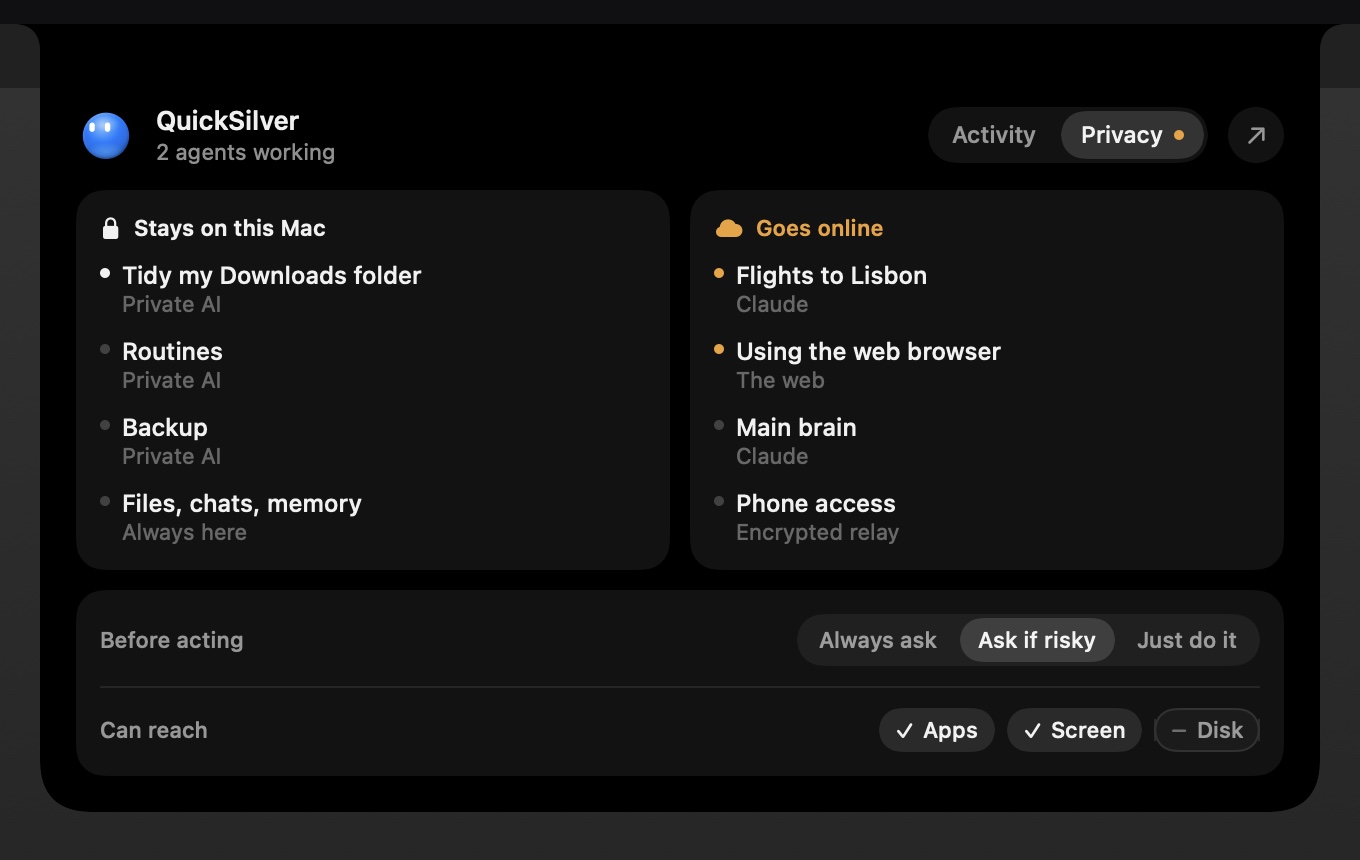
Both can keep your conversations away from AI companies, if the model runs on your own hardware. The difference is whether that's the default or something you assemble.
| What leaves the Mac | Kaairos | OpenClaw |
|---|---|---|
| Your messages to the AI | Nothing, on the private AI. With an online AI connected, conversations go to that company (Anthropic, OpenAI, Google…), while routines stay on the private AI | Whatever model you configure: nothing with a local model, everything to that provider with a hosted one. Onboarding activates the first working connection, which may be a hosted login it found |
| Phone messages | Through Telegram or WhatsApp | Through whichever channels you enable (Telegram, WhatsApp, Slack, Discord and others) |
| Web searches and pages | To the web | To the web and any search provider you configure |
| Plugins, skills and connectors | Connector calls go to those services (Notion, Linear…) | Depends on each plugin or skill; third-party skills are untrusted code |
| Remote control of the agent | No remote gateway; the app runs on your Mac | Optional remote Gateways over SSH, LAN or Tailnet; the docs warn against exposing it without the runbook |
| Telemetry and other traffic | No analytics; model download, app updates and licence checks (Polar) | Not stated in the docs we checked; updates via openclaw update |
Hardware and cost
Memory for a local model
Kaairos needs 32 GB of memory or more for its own AI: the smallest model in its curated catalog is about 16.5 GB, and agents need room for long prompts (it runs with at least 64K of context). On 8, 16 or 24 GB Macs, setup says so and you connect an AI account instead; everything else works the same. About 30 GB of free disk covers the app and the model.
OpenClaw lets you choose. Its managed llama.cpp recipes start at an 8 GiB host-memory floor, but its own docs warn that a floor doesn't guarantee useful speed, that a model which answers a short prompt can still fail a real agent turn, and that LM Studio users should avoid small or heavily quantised models. In practice most people on 8–16 GB Macs pair OpenClaw with a hosted model.
Year one, with the arithmetic
- Kaairos on its private AI only: $29 app + $0 model = $29 (US price).
- Kaairos with a ChatGPT plan: $29 + 12 × $20 = $269, if you'd pay for ChatGPT Plus anyway (OpenAI's help centre lists Plus at $20 a month; we couldn't load its live pricing page to reconfirm). Routines still run on the private AI.
- OpenClaw with a local model: $0 app + $0 model = $0, plus your time to set it up and maintain it.
- OpenClaw with a ChatGPT plan: its docs support Codex sign-in for ChatGPT subscriptions: $0 + 12 × $20 = $240.
- Either with API keys: add whatever you use, billed by the provider. Kaairos shows AI cost over 30 days in the Work tab, and sends routines and chores to the free private AI or cheaper models, which keeps bills down.
When to choose OpenClaw instead
- You use Windows, Linux or an Intel Mac, or want one agent reachable from several machines and phones.
- You live in iMessage, Signal, Slack, Discord, Teams or Google Chat, not just Telegram and WhatsApp.
- You want device nodes: the camera, location or actions on other computers and phones, not just this Mac.
- You want it on an always-on server or Mac mini so your laptop can sleep.
- You want to choose every model, run a sandbox, write your own plugins and share skills on ClawHub.
- You prefer free, MIT-licensed software with a large community, and you're happy to maintain and harden it.
Switching from OpenClaw
Kaairos isn't a fork of OpenClaw: it runs Hermes Agent, a different open-source engine, so there is no import button. Here is what moves and what doesn't.
- Carries over by hand: notes and memory files you keep as Markdown can be shared with Kaairos as files; ask it to remember what matters and it saves that to its memory. Your scheduled jobs become routines: describe each one in a sentence.
- Phone: Kaairos creates its own Telegram bot from a QR code, so your OpenClaw bot can stay where it is. WhatsApp links as another linked device.
- Doesn't carry over: ClawHub plugins, channels Kaairos doesn't support, nodes on other devices, and your OpenClaw config.
- Side by side: the two keep separate folders (~/.openclaw and ~/.kaairos), so you can try Kaairos without uninstalling anything. Give them different Telegram bots so they don't both answer.
Sources
- OpenClaw macOS app docs: macOS 26.2 requirement, builds, first run, local and remote Gateway, model detection, Quick Chat.
- OpenClaw on GitHub: MIT licence, install commands, Node requirement, channels, security notes.
- OpenClaw blog: macOS installer (3 September 2026): installer flow and local AI.
- Security, Sandboxing and Exec approvals: defaults quoted above.
- Local models and Ollama: memory floors and warnings.
- Automations, cron CLI and delivery: schedule and Telegram delivery flags.
- Skills, Telegram, WhatsApp, OpenAI provider and FAQ.
- ChatGPT Plus price: OpenAI help centre article on ChatGPT Plus (help.openai.com/en/articles/6950777), seen in search results; the page itself refused our fetch.
- Kaairos facts: the app's source code and the facts page.
Fair questions
Is Kaairos a fork of OpenClaw?
No. Kaairos is built on Hermes Agent by Nous Research, a separate open-source agent (MIT licence), and runs it inside a Mac app made by Stuvio. It shares no code or config with OpenClaw.
What's the best OpenClaw alternative for a Mac if I'm not technical?
If you have an Apple silicon Mac and want an agent that works without a terminal, Kaairos is built for exactly that: one button, its own private AI on Macs with 32 GB or more, and approvals on by default. If you need Windows, more chat apps or devices beyond one Mac, OpenClaw itself, with its macOS app's guided setup, may still suit you better.
Is OpenClaw safe?
It can be, with care. Its own docs say sandboxing is off by default, host commands run without approval prompts until you change the exec-approvals policy, and third-party skills should be treated as untrusted code. Run openclaw security audit, keep the Gateway on loopback, and read skills before installing them.
Does OpenClaw work on a Mac without the terminal now?
Partly. The macOS app installs from a DMG, prepares its own runtime, starts a Gateway and opens an onboarding conversation, and it needs macOS 26.2 or later. Many channel, pairing and advanced settings are still done with the openclaw CLI.
OpenClaw vs Hermes Agent: what's the difference?
Both are open-source personal agents. OpenClaw is built around a central Gateway with a very large plugin and channel ecosystem; Hermes Agent, which powers Kaairos, centres on an agent that learns skills and memory, with approvals, checkpoints and a manager for local models. Kaairos packages Hermes so you don't have to install either from the command line.
Can OpenClaw or Kaairos run fully offline?
The AI can, in both, if it runs on your Mac: OpenClaw with a local model you set up, Kaairos with its built-in private AI. Anything that uses the web, a chat app or an online service still needs the internet.
How much RAM do I need?
Kaairos needs 32 GB for its own AI and works on any Apple silicon Mac once you connect an AI account. OpenClaw's managed local recipes start at an 8 GiB floor, but its docs warn small models may fail real agent tasks; with a hosted model, memory matters much less. See how much memory local AI needs.
Can I use my ChatGPT subscription with either?
Yes. OpenClaw supports Codex sign-in with a ChatGPT subscription, and Kaairos has Sign in with ChatGPT in Settings › AI › Add AI…. In Kaairos your conversations use the plan while routines stay on the private AI.
Can I run both on the same Mac?
Yes. They keep separate folders (~/.openclaw and ~/.kaairos) and separate engines. Use a different Telegram bot for each, and remember both may use memory if each runs a local model.
Download and go
Your AI agent, already set up.
One button to set up. Its own private AI, free. Claude, ChatGPT or Gemini when you want more.
A Mac with Apple silicon (M1 or later), macOS 15 Sequoia or later. 14-day refund.