
Use case · Research
Decide in an evening, not a week of open tabs
Compare options, find out what owners actually complain about, or get briefed before a meeting. QuickSilver reads the reviews, forums and spec sheets, and comes back with a clear pick, the reasons, the catch and every source.
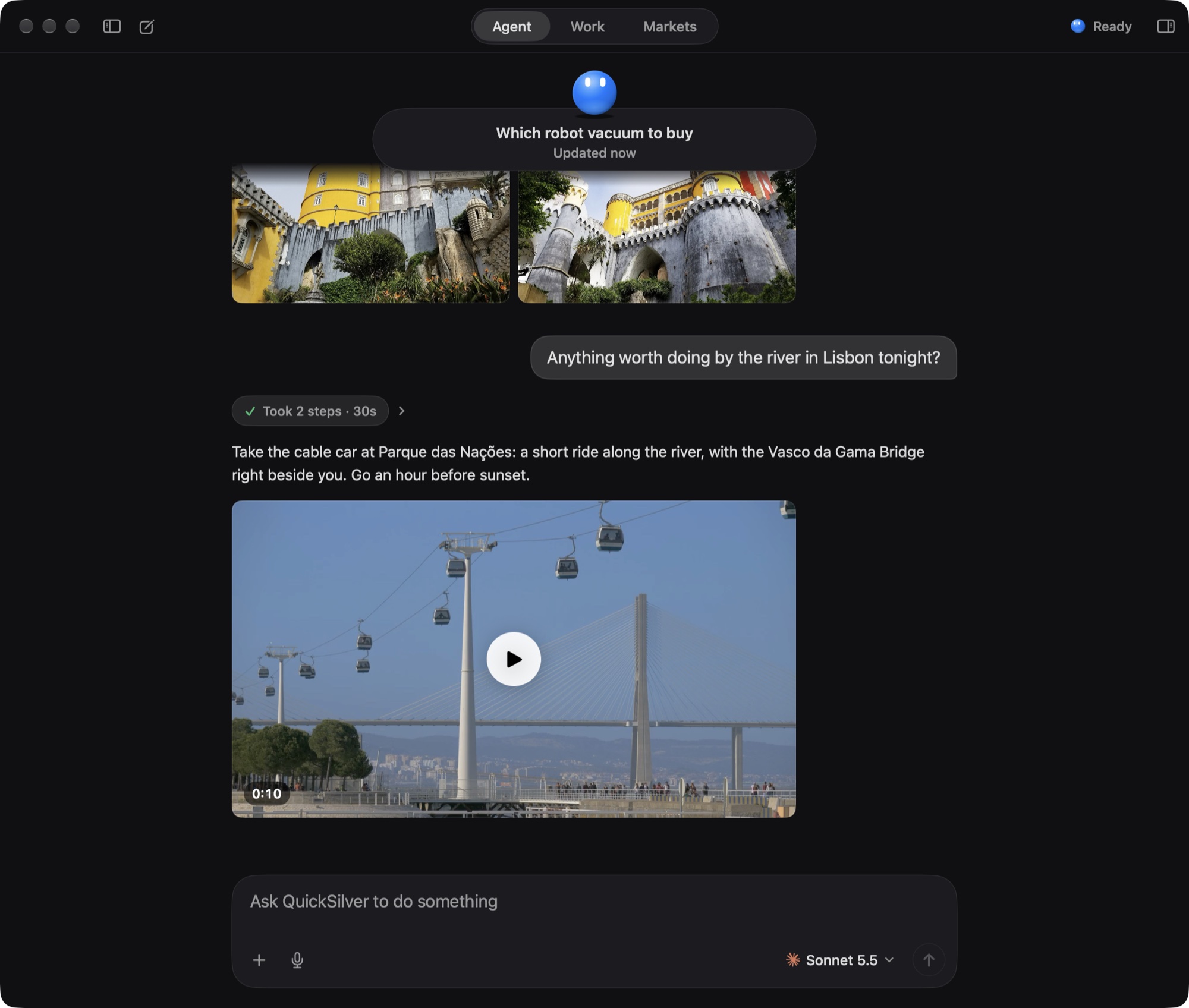
What comes back
- A pick, first. Not “it depends”: a recommendation for your situation, then the reasons.
- The catch. What owners complain about after six months, which reviews rarely lead with.
- A comparison table when there are several options, and a chart when the numbers make the case.
- Photos of the options, so you can see what you're choosing between.
- Sources for every claim, so you can check the ones that matter.
- The full write-up saved as a file in your Kaairos folder, listed in Work › Made for you.
Find the 3 best e-bikes under $2,000 for a 10 km commute with one steep hill. Include real owner complaints.
My pick is the lightest of the three. It has the range for your commute twice over, and its mid-drive motor handles hills better than the hub motors on the other two. The catch: owners say the stock saddle is hard and the dealer network is thin, so check there's a shop near you. Owners of the second option report battery connectors failing after about a year; the third is good value but heavy at 26 kg. Comparison table, photos and 14 sources below. (E-bike comparison.md)
Who it's for
- Before a purchase over a few hundred dollars: bikes, laptops, appliances, a car seat, a mattress.
- Before a meeting: what a company does, its recent news, what the person you're meeting has said publicly.
- Before a choice of service: energy tariffs, broadband, a builder (from public reviews), a school (from public reports).
- Keeping up: a weekly digest of what competitors or a field shipped.
How to ask, step by step
- Open a new chat on your Mac, or message QuickSilver from your phone.
- Say what you're choosing, what matters to you (and what doesn't), your limits (budget, size, location) and what you want back (a pick, a table, a one-page brief).
- Watch it work: the steps show each search and every page it opens with its own browser.
- Push back: “why not the Brand X?”, “what if my budget were $2,500?”, “only options sold in the UK”.
“Research [which robot vacuum to buy] for [a flat with rugs and a dog, under $500]. What matters: [pet hair, quiet, easy to empty]. Doesn't matter: [mopping, app features]. Read owner reviews and forums, not just review sites. Give me one pick, two alternatives, a comparison table, the biggest complaint about each, and your sources.”
QuickSilver works from the open web: search results, review sites, owner forums and manufacturers' pages. It follows the engine's grounded-citations skill, which ties claims to sources you can check.
Variations
Meeting brief
“I'm meeting Sarah Chen from Acme on Thursday about a partnership. Brief me: what Acme does, their recent news, what she's said publicly, and three good questions to ask.”
Owner complaints only
“What do owners of the [car model] complain about after two years? Forums and owner groups, not reviews.”
A switch
“Should I switch energy tariff? I use about 2,900 kWh a year in [area]. Compare the three cheapest fixed deals and their exit fees.”
A chart that decides
“Compare these 4 laptops on battery life, weight and price, and draw a chart.” The chart appears in the reply.
Explain it first
“I need to choose a heat pump. Explain what actually matters in plain English, then recommend one for a 3-bed house.”
Weekly, without asking
Use the gallery's Competitor news watch: name the companies, the events that matter, the time and day, and where to send it. You get a cited digest of material news only.
If you do a lot of research, make a profile for it: in Settings › Profiles each profile is its own agent with its own model, personality and skills, so a “Researcher” can always use your strongest model. More on profiles.
What a good brief contains, and how to ask for it
| Part | Why it matters | Ask for it with |
|---|---|---|
| The pick, first | You can stop reading there if you trust it | “Lead with your recommendation.” |
| Your criteria, restated | Shows it understood what matters to you | “Restate my priorities before you compare.” |
| A comparison table | Puts the trade-offs side by side | “A table with price, weight, range and warranty.” |
| The catch for each option | Reviews lead with strengths; owners lead with problems | “The most common owner complaint for each.” |
| What would change the answer | Tells you when the pick stops being right | “When would you pick the second option instead?” |
| Dated sources | Lets you check the claims that decide it | “Sources with dates, newest first.” |
Ask for all six once and say “do research briefs like this from now on”. QuickSilver remembers the format.
Make it a routine
In the Work tab, choose + next to Routines and pick Competitor news watch. It asks Which companies? (two or three, by name; adding their websites helps it tell them apart), Which events matter? (by default: product launches, pricing changes, funding, partnerships, executive moves, incidents), What time?, Repeat on and Send the result to. On the first run it sets up its list of sources; after that each run collects only what's new since the last, groups duplicate stories, and stays silent if nothing material happened.
For a topic rather than companies, the Topic news digest asks What topic?, a time, which days, and How many bullets? (3, 5 or 8). Or say it in words: “Every Friday at 4, tell me what my three competitors shipped this week.”
Which AI does the research, and what leaves your Mac
Research in a chat runs on your main brain: the online AI you connected, or the private AI on your Mac if you haven't connected one. Research routines like Competitor news watch run on the Routines job: the private AI on 32 GB Macs. Long research is where strong online models are noticeably better; the private AI can do it, more slowly.
| Step | Where it happens | What leaves your Mac |
|---|---|---|
| Searching and reading pages | Your Mac, with its own browser when a page needs one | Search words to the search service; visits to the sites |
| Weighing the options, writing the brief | Your main brain | With an online AI: your question and what it read go to that company. With the private AI: nothing |
| Charts | Drawn on your Mac with Python | Nothing |
| The saved report | Your Kaairos folder | Nothing, unless you asked from your phone |
What it costs
Assumption: a thorough comparison takes about 30 model calls averaging 20,000 input tokens (600,000 input, 10,000 output).
- Claude Sonnet 5.5 ($2 / $10 per million): 600,000 × $2/M + 10,000 × $10/M ≈ $1.30.
- Claude Haiku 5.5 ($0.10 / $0.50 per million): ≈ $0.07, if you pick it in the chat's model picker. Faster and cheaper, less careful.
- ChatGPT plan: no per-token bill; counts toward the plan's limits.
- Private AI: free, slower.
Prices from Anthropic's price list. A weekly competitor watch on the private AI costs nothing.
What it can't do
- It can be wrong. Treat the result as a well-researched first draft. Check the sources for anything you'll spend real money on.
- It only reads the open web. No paywalled reviews, no databases that need a login, no private groups.
- Reviews can be biased. It looks for owner complaints and says when a source looks like marketing, but it can't see everything.
- Not professional advice. For medical, legal or financial decisions, use it to prepare questions for a professional.
- Researching a person uses only what's public. Use it to prepare for a meeting, not to profile someone.
Troubleshooting
| Problem | Fix |
|---|---|
| The answer hedges | “Pick one. If you had to buy one tomorrow, which?” |
| Old information | “Only sources from the last 12 months, and say the date of each.” |
| Wrong country | “I'm in the UK: UK prices and UK availability only.” |
| Too long | “A five-line summary first, then the details.” |
| It's slow | Big research on the private AI takes a while. Pick an online model for this chat in the model picker. |
Fair questions
Can I trust the answer?
Treat it like a well-researched first draft: QuickSilver lists its sources so you can check. AI can be wrong, especially on fast-moving facts.
Which AI is best for research?
Long research benefits from a strong online model. The private AI can do it too, more slowly. With an account connected, conversations go to it by default.
Where are my research reports saved?
In your Kaairos folder on your Mac, listed in Work › Made for you.
Can it read paywalled sites?
No. It reads what's openly available. Paste text you have access to into the chat if you want it included.
Can it research from my phone?
Yes. Ask on Telegram or WhatsApp; the brief comes back there, and the full report is saved on your Mac.
How is this different from asking ChatGPT?
The research is similar in spirit; the difference is where it runs and what happens next. Kaairos runs on your Mac, saves reports to your folder, can use the private AI, and can turn the research into a routine that reports back on schedule.
Download and go
Your AI agent, already set up.
One button to set up. Its own private AI, free. Claude, ChatGPT or Gemini when you want more.
A Mac with Apple silicon (M1 or later), macOS 15 Sequoia or later. 14-day refund.