
Help
Skills and connected apps
Skills teach QuickSilver how to do things. Connectors let it work inside your other apps. Both are in Settings.
In short
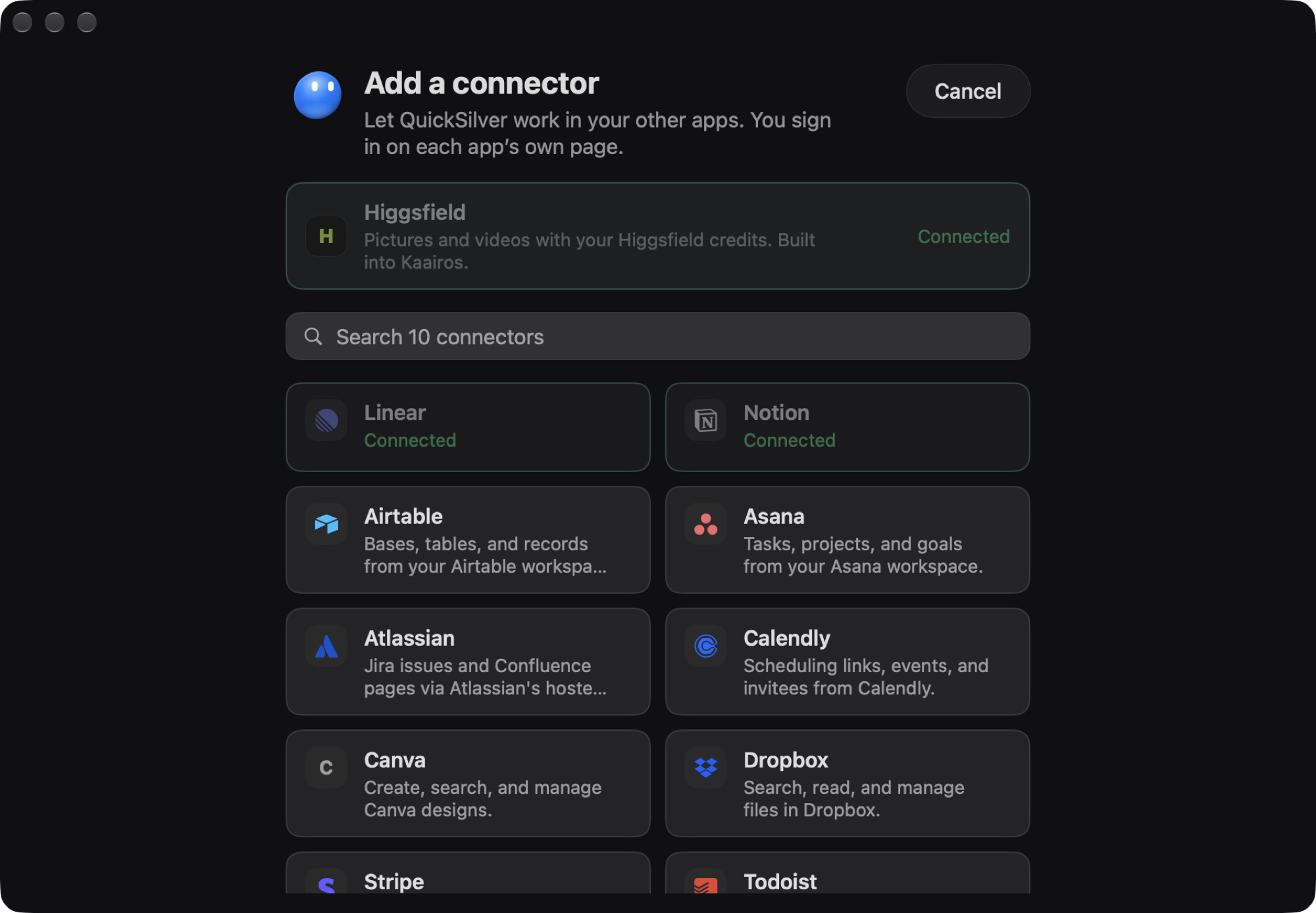
To connect an app, open Settings › Connectors, press Add Connector…, pick the app and sign in on its own page. QuickSilver then reads from it on its own and asks you before it adds or changes anything. To add skills, open Settings › Skills, press Add Skills… and Add the ones you want from Nous Research's official catalog. Every skill has a switch, and you can open one to read exactly what it says.
Before you start
- An account with the app you want to connect, and the right to allow access to it.
- For Higgsfield pictures and videos: a Higgsfield account with credits.
- Kaairos running (the sheets say “Kaairos is still starting. Try again in a moment.” until it is).
Connect an app
- Open Settings › Connectors and press Add Connector….
- Pick the app. Type in Search connectors to find it.
- Kaairos opens the app's sign-in in your browser. Sign in there and allow access.
- The checklist ticks off “Opened [app]'s sign-in in your browser”, “Sign in there and allow access” and “Save the connection on this Mac”, and says [app] is connected.
If the browser page was closed, Open [app] Again reopens it. If it fails, you'll see “Kaairos couldn't add [app]. Try again.” with Try Again.
Higgsfield: pictures and videos
Higgsfield is built into Kaairos: “Nothing to install. The tool comes inside Kaairos. Your sign-in stays on this Mac, and Higgsfield bills your own credits.” In Add Connector… choose Higgsfield, press Open Higgsfield, sign in and allow access.
Once connected, Settings › Connectors shows Higgsfield's workspace, the video and picture models QuickSilver may pick from (with none picked, any Higgsfield model), and Ask before spending.
| Ask before spending | What happens |
|---|---|
| Every time | It shows the cost and waits for your OK every time. |
| Over 25 credits (default) | It checks the cost first and asks before anything over 25 credits. |
| Over 50 / Over 100 credits | The same, with a higher limit. |
| Never | It spends credits without asking, and says what each one cost. |
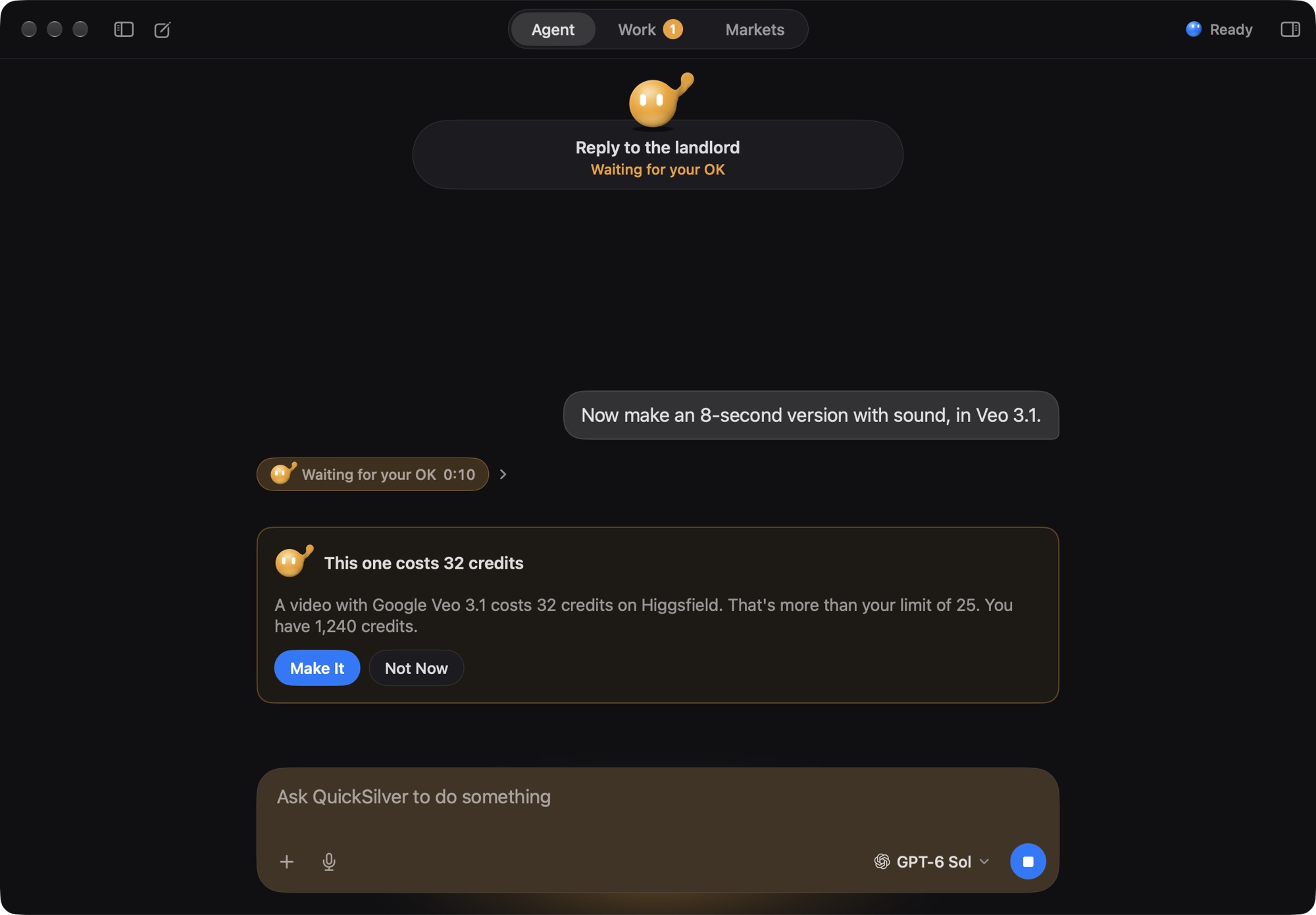
For scale, the app notes that a 5-second Kling 4.0 video is about 16 credits and an 8-second Veo 3.1 one about 32. Over your limit, the chat shows This one costs N credits with Make It and Not Now.
Add or manage skills
- Open Settings › Skills. The header counts skills built in, learned from you and added.
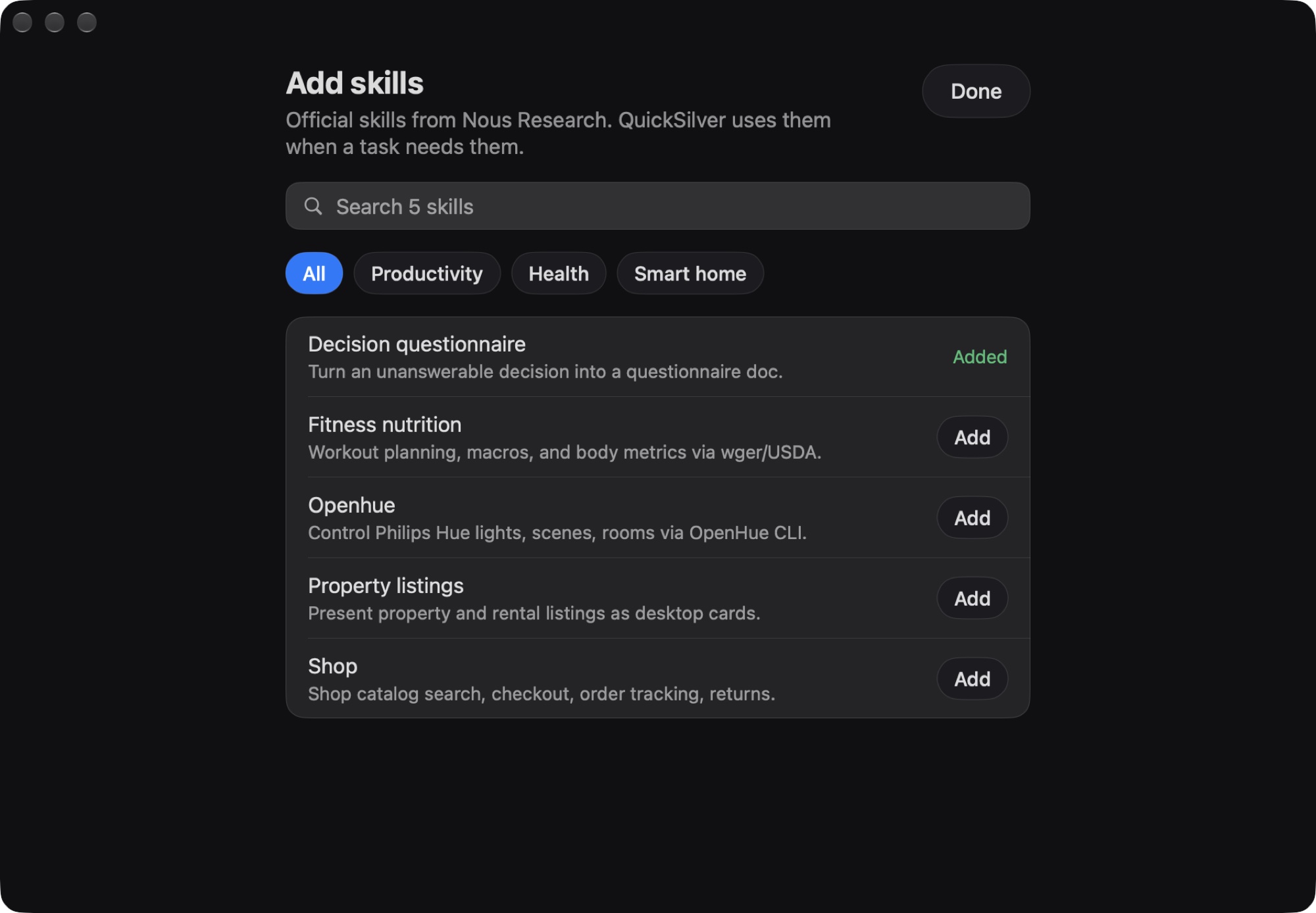
- Press Add Skills… to browse “Official skills from Nous Research. QuickSilver uses them when a task needs them.”
- Press Add next to any you want. It changes to Added. Press Done.
- Back on the list, use a skill's switch to turn it off or on. Click a skill to read exactly what it says, and use Turn Off/Turn On or Delete… there.
Deleting a skill: “QuickSilver stops using it. The engine keeps a copy in its archive.” Skills QuickSilver learns while working for you appear in the same list, so you can read, switch off or delete them too.
Settings at a glance
| Setting | Where | Default |
|---|---|---|
| Connected apps | Settings › Connectors | None (Higgsfield available, not signed in) |
| Ask before spending (Higgsfield) | Settings › Connectors | Over 25 credits |
| Skill on/off | Settings › Skills, each skill's switch | On |
| Changes in connected apps | Always asks first | Reads freely; asks before adding or changing |
Disconnect
In Settings › Connectors, press ⋯ on the app's row and choose Disconnect [app]…: “QuickSilver stops working in it. You can connect it again any time.” For Higgsfield, Disconnect Higgsfield… signs Kaairos out of Higgsfield on this Mac.
Common problems
- The sign-in page didn't open. Press Open [app] Again, or check your default browser.
- “Kaairos couldn't add [app]. Try again.” Try again; if it keeps failing, the app's sign-in service may be down.
- QuickSilver keeps asking before changes in an app. That's by design: it reads freely but asks before it adds or changes anything.
- A picture or video wasn't made. Check your Higgsfield credits, and whether you answered Not Now to a cost question.
What leaves your Mac
Kaairos keeps each sign-in on this Mac. When QuickSilver works in a connected app, it talks to that app's service, and what it reads goes to the AI doing the task (on your Mac with the private AI, or to the online AI you've connected). Higgsfield receives the prompts and pictures for what you ask it to make, and bills your credits.
Fair questions
What is MCP?
The Model Context Protocol, an open standard that lets an agent use an app's tools. Kaairos's connectors use it; you just sign in.
Will QuickSilver change things in my apps without asking?
No. It reads on its own, and asks before it adds or changes anything.
Where do learned skills come from?
QuickSilver writes new skills as it learns how you work. They appear in Settings › Skills as learned from you.
Can I add a skill from anywhere?
Add Skills… offers Nous Research's official catalog. Kaairos doesn't install skills from other sources from its window.
Does Higgsfield cost extra?
Higgsfield bills your own Higgsfield credits. Kaairos adds nothing.
Download and go
Your AI agent, already set up.
One button to set up. Its own private AI, free. Claude, ChatGPT or Gemini when you want more.
A Mac with Apple silicon (M1 or later), macOS 15 Sequoia or later. 14-day refund.